---
title: "Container Registry"
description: "Deploy pre-built container images from any Docker registry."
---
Container Registry deployment allows you to deploy pre-built container images directly to Miget without using Miget's builder. This is ideal when you have your own CI/CD pipeline and want full control over the build process.
## Why Use Container Registry Deployment?
- **Custom CI/CD pipelines** - Build images using GitHub Actions, GitLab CI, Jenkins, or any other CI system
- **Pre-built images** - Deploy existing images from Docker Hub, GitHub Container Registry, or private registries
- **Build optimization** - Use specialized build tools, caching strategies, or multi-stage builds in your own environment
- **Compliance requirements** - Meet security or audit requirements that mandate builds in specific environments
## Setting Up Registry Credentials
Before deploying from a private registry, you need to add your registry credentials to your workspace.
### Adding Credentials
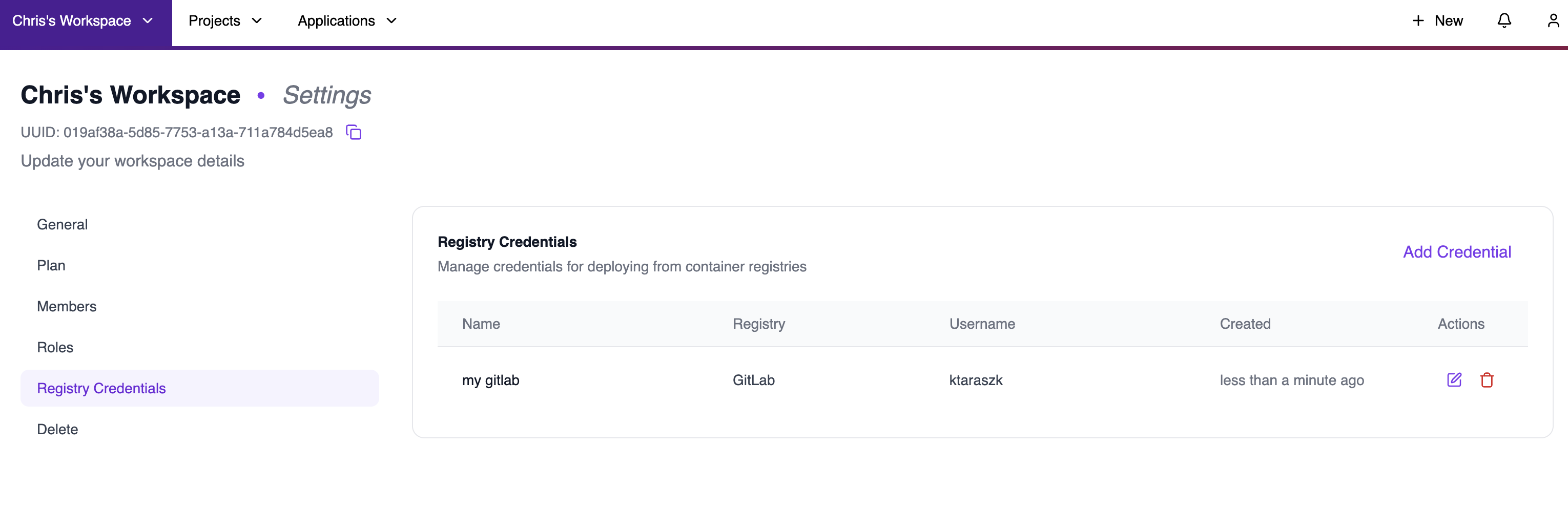
1. Navigate to **Workspace Settings → Registry Credentials**
2. Click **Add Credential**
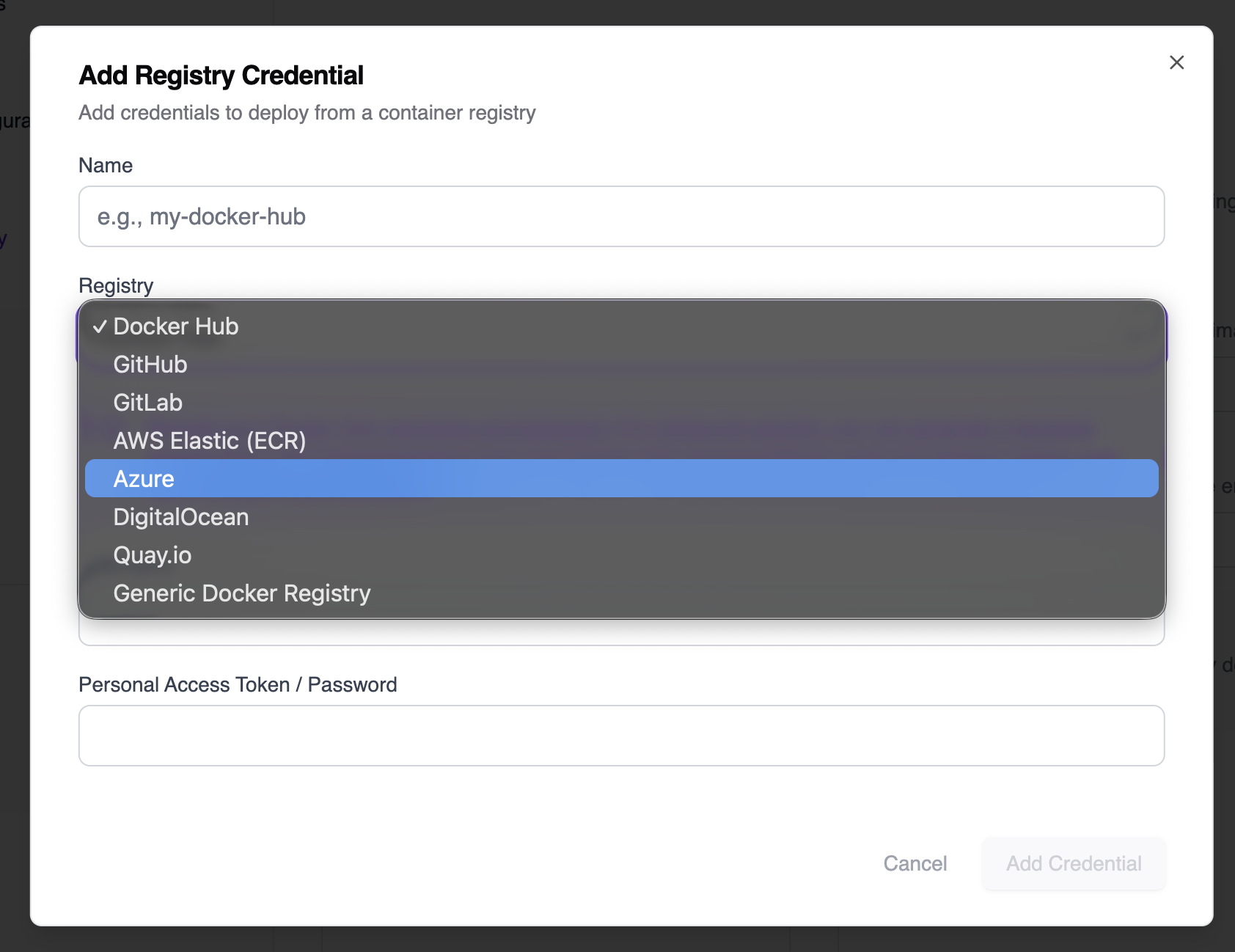
3. Select your registry provider:
- Docker Hub
- GitHub
- GitLab
- AWS Elastic (ECR)
- Azure
- DigitalOcean
- Quay.io
- Generic Docker Registry
4. Enter a name for the credential (e.g., `my-docker-hub`)
5. Provide your username and Personal Access Token / Password
6. Click **Add Credential**
 For security, create a **read-only** access token. Miget only needs to pull images, not push them.
## Creating a New App with Container Registry
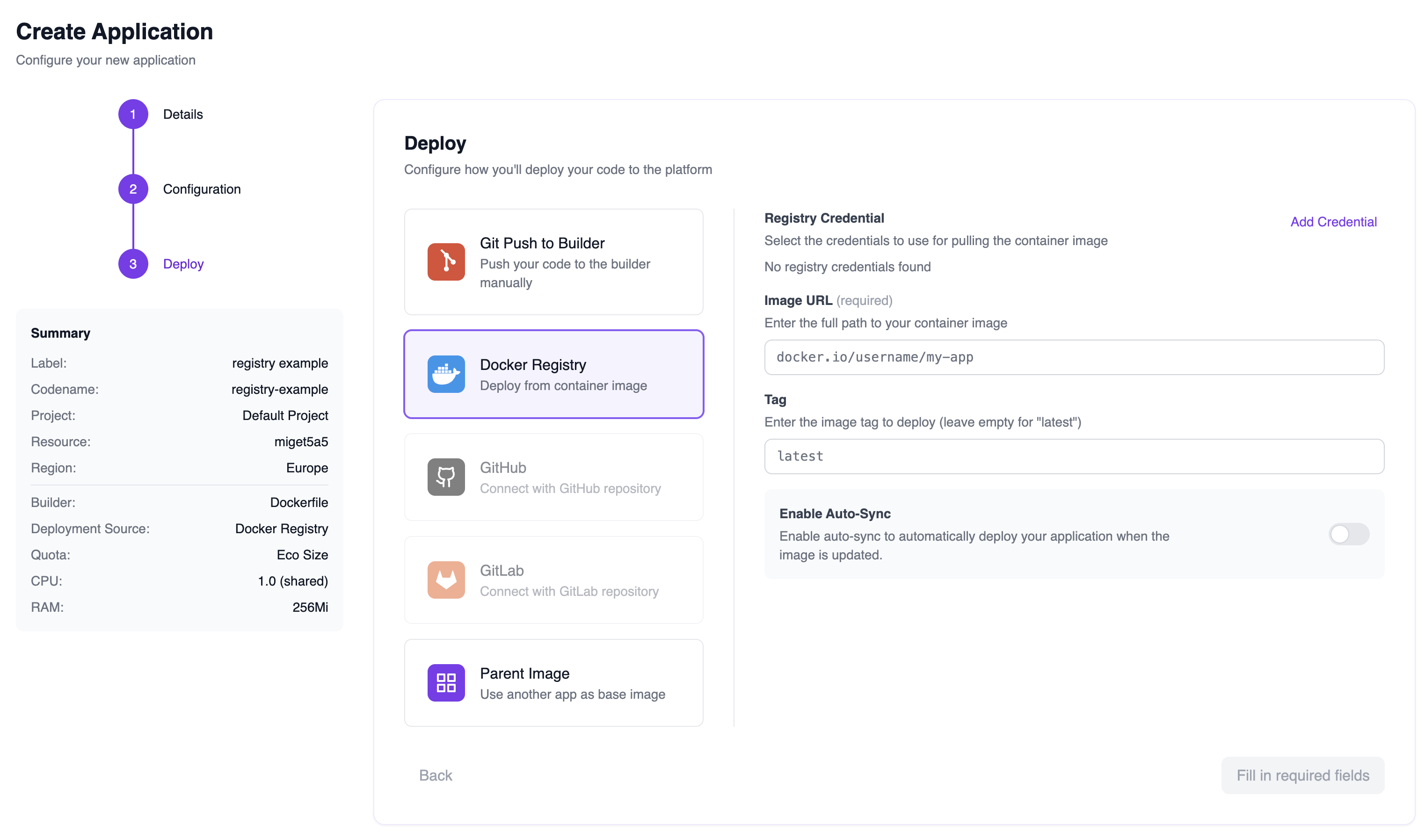
When creating a new application, select **Docker Registry** as your deployment method:
1. Go through the app creation wizard (Details → Configuration → Deploy)
2. On the Deploy step, select **Docker Registry**
3. Configure your deployment:
- **Registry Credential** - Select a saved credential or leave empty for public images
- **Image URL** - Full path to your container image (e.g., `docker.io/username/my-app`)
- **Tag** - Image tag to deploy (leave empty for `latest`)
- **Enable Auto-Sync** - Automatically redeploy when the image is updated
 ## Switching an Existing App to Container Registry
You can change the deployment method of any existing application:
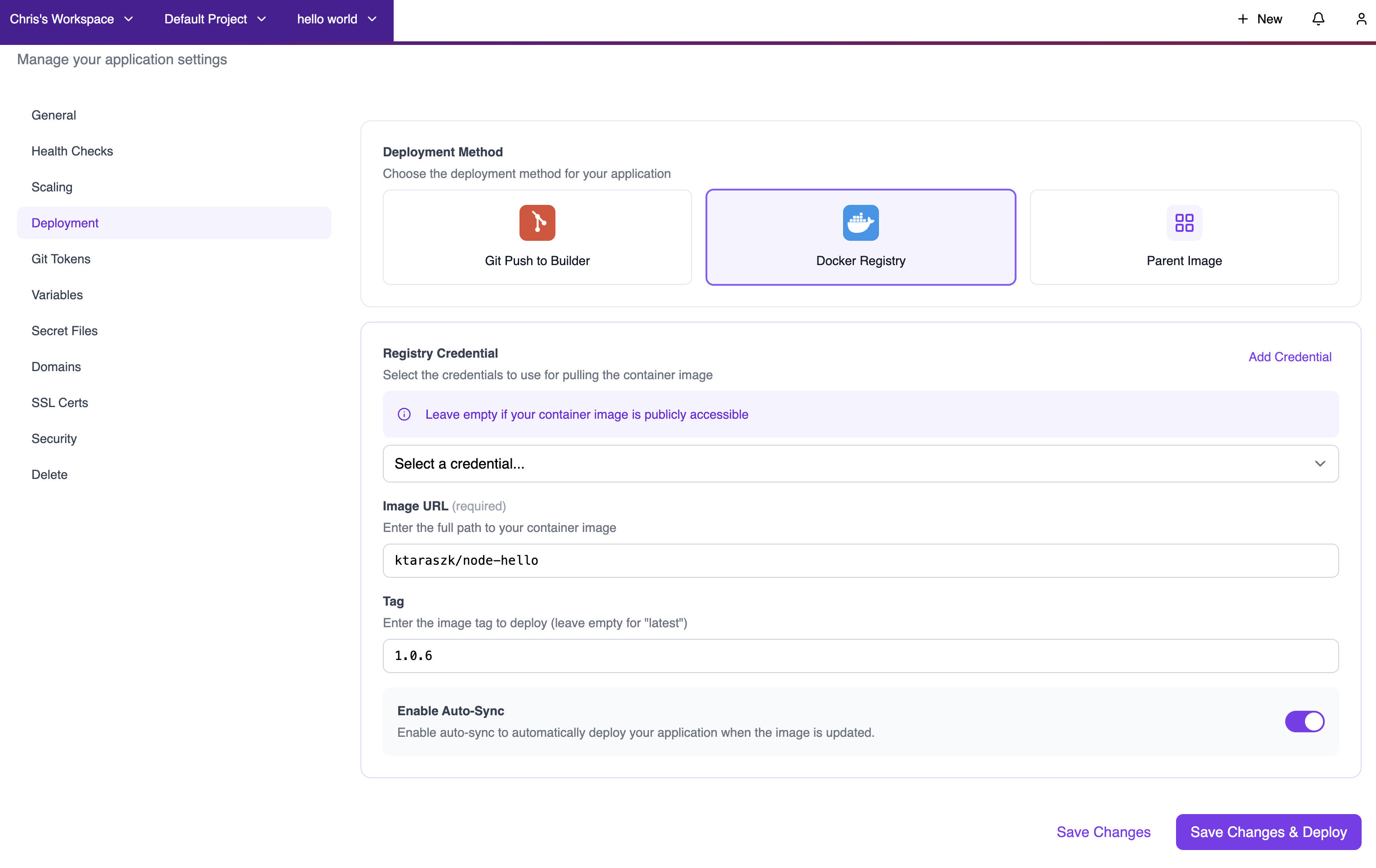
1. Go to your application's **Settings → Deployment**
2. Select **Docker Registry** as the deployment method
3. Configure the registry settings:
- Select or add a registry credential
- Enter the image URL and tag
- Optionally enable Auto-Sync
4. Click **Save Changes** or **Save Changes & Deploy**
 ## Deploying and Redeploying
### Manual Deployment
Once configured, use the **Deploy** button dropdown to:
- **Deploy current tag** - Redeploy the currently configured image tag (e.g., `Deploy 1.0.6 tag`)
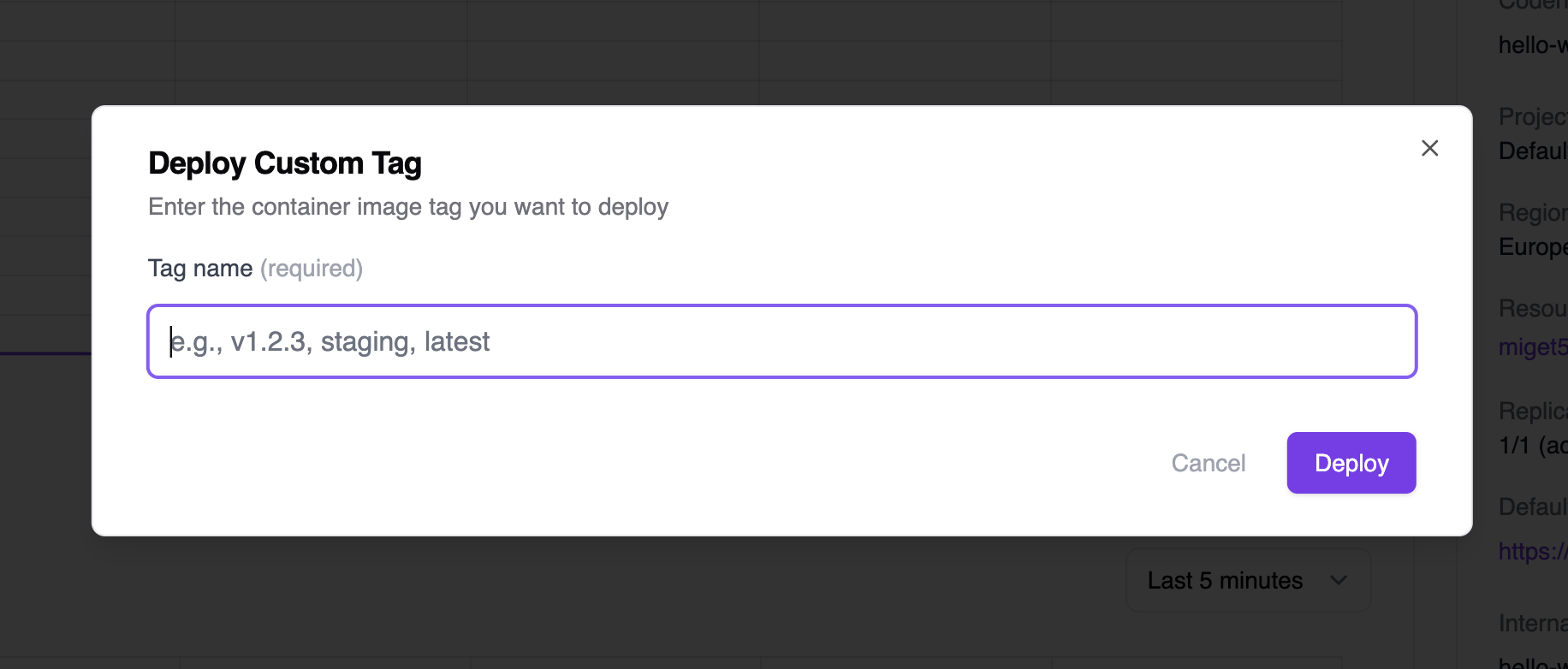
- **Deploy custom tag** - Deploy a different tag that you've pushed to your registry
 When deploying a custom tag, enter the tag name in the dialog:
 ### Auto-Sync (Automatic Deployments)
Enable **Auto-Sync** to automatically redeploy your application whenever the image is updated in the registry.
When Auto-Sync is enabled:
- Miget checks for image updates **every 1 minute**
- If a new image digest is detected for the configured tag, Miget automatically triggers a deployment
- The current tag version is displayed in the application header (e.g., `ktaraszk/node-hello:1.0.6`)
- The app shows **Auto-Deploy** badge indicating automatic deployments are active
Auto-Sync works by comparing image digests, not just tags. This means pushing a new image with the same tag (like `latest`) will trigger a redeployment.
## Image URL Format
The image URL format depends on your registry:
| Registry | Image URL Format |
|----------|------------------|
| Docker Hub | `username/image` or `docker.io/username/image` |
| GitHub Container Registry | `ghcr.io/username/image` |
| GitLab Container Registry | `registry.gitlab.com/group/project/image` |
| AWS ECR | `123456789.dkr.ecr.region.amazonaws.com/image` |
| Azure Container Registry | `myregistry.azurecr.io/image` |
| DigitalOcean | `registry.digitalocean.com/registry/image` |
| Quay.io | `quay.io/username/image` |
## Best Practices
1. **Use specific tags** - Avoid using `latest` in production. Use semantic versioning (e.g., `1.0.6`) or commit SHAs for traceability.
2. **Secure your credentials** - Use read-only tokens and rotate them regularly.
3. **Test images locally** - Verify your container runs correctly before pushing to the registry.
4. **Use Auto-Sync for staging** - Enable Auto-Sync for staging environments to automatically deploy the latest changes. Use manual deployments for production.
5. **Monitor deployments** - Check the application logs and health checks after each deployment to ensure the new image is running correctly.