---
title: "Deno"
description: "Deploy Deno applications on Miget with automatic entry point detection."
---
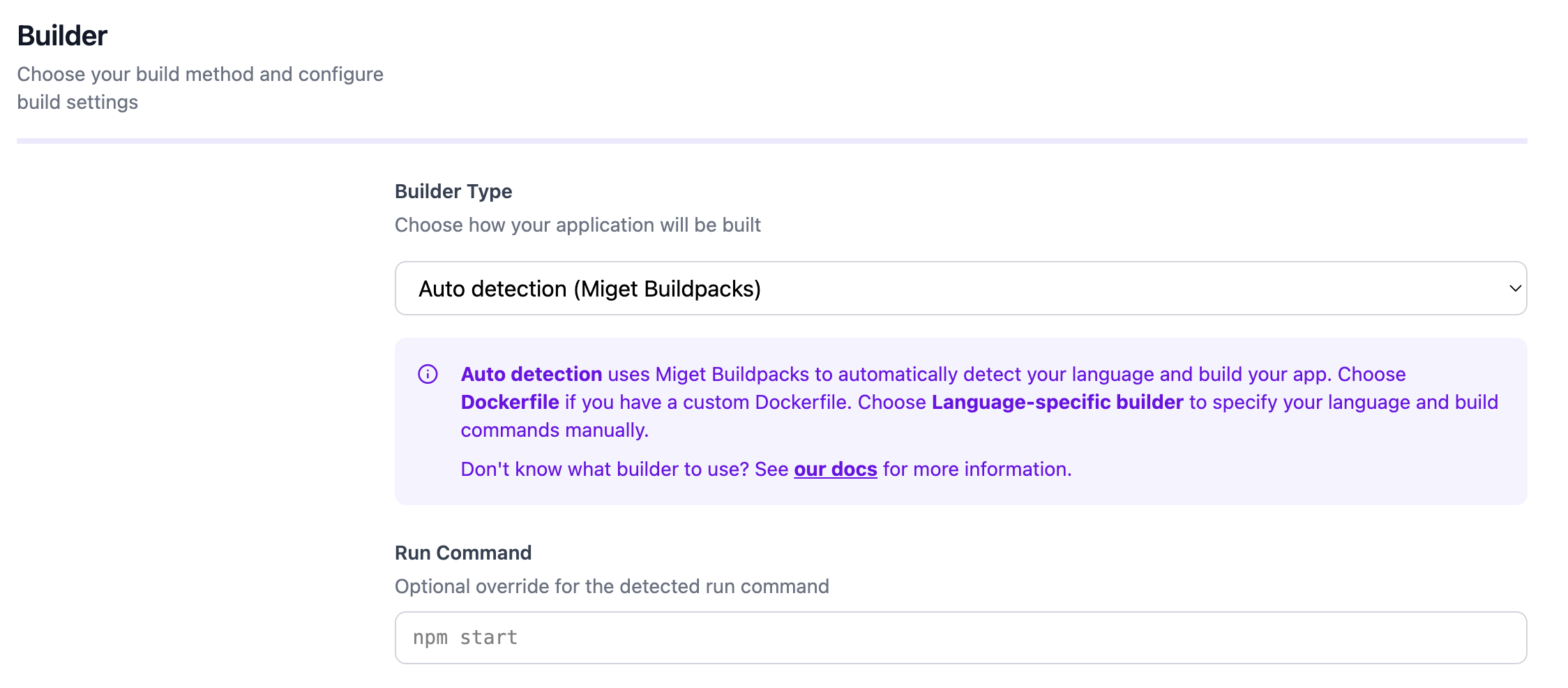
Miget Buildpacks automatically detect and build your Deno applications when you select **Auto detection (Miget Buildpacks)** as the build method. No configuration is required for most projects. For the full reference, visit the [migetpacks Deno documentation](https://migetpacks.com/languages/deno).
## Detection
Your application is detected as Deno when one of these files is present in the root directory:
- `deno.json`
- `deno.jsonc`
- `deno.lock`
## Version Detection
The Deno version is determined from the `deno.json` configuration file. If no version is specified, the latest stable version is used.
## Build Process
During the build, the following steps are performed:
1. **Deno installation** - The appropriate version of Deno is installed.
2. **Dependency caching** - The `DENO_DIR` directory is cached between builds, which stores downloaded dependencies and compiled artifacts for faster subsequent deployments.
## Run Command
The entry point is auto-detected by checking for the following files, in order:
1. `main.ts`
2. `main.tsx`
3. `src/main.ts`
4. `src/main.tsx`
5. `mod.ts`
6. `app.ts`
7. `index.ts`
The application is started using `deno run` with the appropriate permissions.
You can override the run command by defining a `web` process in a `Procfile` at the root of your repository. You can also override the run command directly in the Miget dashboard when creating your app or changing the deployment source.
 ## Configuration
You can customize the build and runtime behavior through the Miget dashboard and repository configuration files:
- **Environment variables** - Set under **Settings -> Variables** in the Miget dashboard
- **Procfile** - Define the start command at the root of your repository
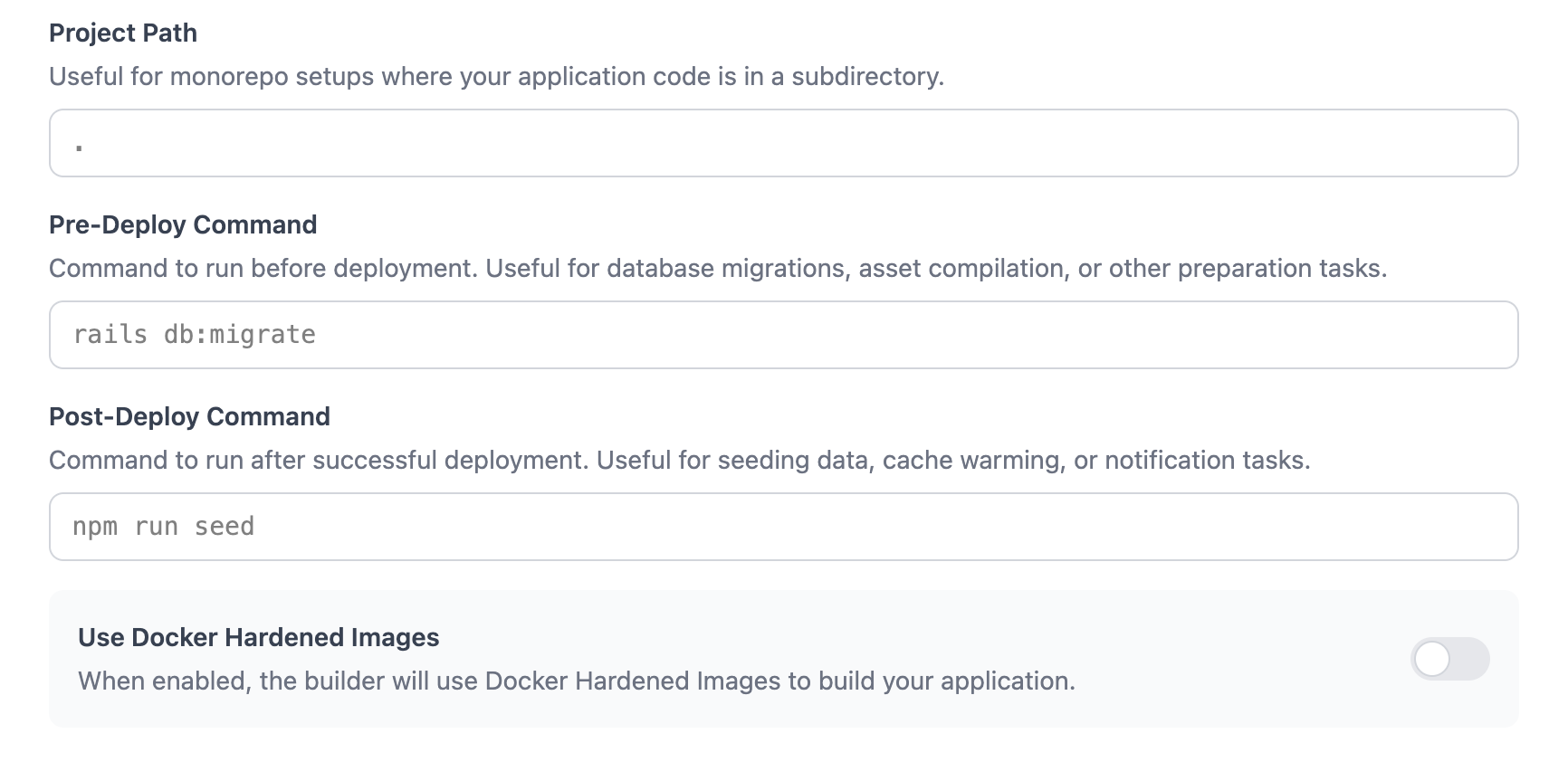
- **Project Path** - For monorepo setups, specify the subdirectory containing your application code in the **Advanced** tab
- **Pre-Deploy Command** - Run a command before deployment (e.g., database migrations) in the **Advanced** tab
- **Post-Deploy Command** - Run a command after successful deployment (e.g., seeding data, cache warming) in the **Advanced** tab
## Docker Hardened Images
You can enable Docker Hardened Images (DHI) in the **Advanced** tab when creating your app or changing the deployment source. When enabled, your application is built using distroless runtime images with a minimal attack surface, no shell, and no package manager.
 DHI requires Deno 2.6.4 or later.
For the complete reference, see the [migetpacks Deno documentation](https://migetpacks.com/languages/deno).