---
title: "Miget Buildpacks"
description: "How Miget Buildpacks (migetpacks) automatically detect your application language and build optimized container images with zero configuration."
---
Miget Buildpacks, powered by [migetpacks](https://migetpacks.com), automatically detect your application's language, version, and dependencies to produce optimized container images. You get production-ready builds with zero configuration. migetpacks handles language detection, dependency installation, and multi-stage Dockerfile generation so you can focus on your code.
For the full migetpacks specification and release notes, visit [migetpacks.com](https://migetpacks.com).
## Supported Languages
Miget Buildpacks support 14 languages and their ecosystems:
| Language | Marker Files |
|----------|-------------|
| **Node.js** | `package.json` |
| **Deno** | `deno.json`, `deno.jsonc` |
| **Bun** | `bun.lockb`, `bunfig.toml` |
| **Python** | `requirements.txt`, `pyproject.toml`, `Pipfile` |
| **Ruby** | `Gemfile` |
| **Go** | `go.mod` |
| **Rust** | `Cargo.toml` |
| **PHP** | `composer.json` |
| **Java** | `pom.xml`, `build.gradle` |
| **Kotlin** | `build.gradle.kts` |
| **Scala** | `build.sbt` |
| **Clojure** | `project.clj`, `deps.edn` |
| **.NET** | `*.csproj`, `*.fsproj` |
| **Elixir** | `mix.exs` |
The language-specific guides in the **Languages > Buildpacks** section explain how to configure each runtime on Miget.
## How It Works
Miget Buildpacks run through four phases to turn your source code into a container image.
### 1. Language Detection
migetpacks scans your repository for marker files to determine which language and framework your application uses. For example, a `package.json` file triggers the Node.js buildpack, while a `go.mod` file triggers the Go buildpack.
### 2. Version Detection
Once the language is identified, migetpacks reads version files to determine the exact runtime version you need:
- **Node.js:** `.nvmrc`, `.node-version`, `package.json` `engines` field
- **Python:** `.python-version`, `runtime.txt`
- **Ruby:** `.ruby-version`, `Gemfile`
- **Go:** `go.mod` directive
Versions are normalized automatically so you can use shorthand notation (e.g., `20` resolves to the latest Node.js 20.x release).
### 3. Dockerfile Generation
migetpacks generates an optimized multi-stage Dockerfile using official Docker Hub base images (`node`, `python`, `ruby`, `golang`, etc.). The generated Dockerfile includes:
- **Dependency layer caching** - dependencies are installed in a separate stage so rebuilds only rerun when your lockfile changes
- **Multi-stage builds** - build tools stay out of the final image, reducing size and attack surface
- **Official base images** - every build starts from trusted, maintained upstream images
### 4. Build and Push
The generated Dockerfile is built with BuildKit and the resulting image is pushed to the container registry for deployment.
## Using Miget Buildpacks
During app creation or when changing your deployment source, select **Auto detection (Miget Buildpacks)** as the Builder Type. This is the default builder type for new applications.
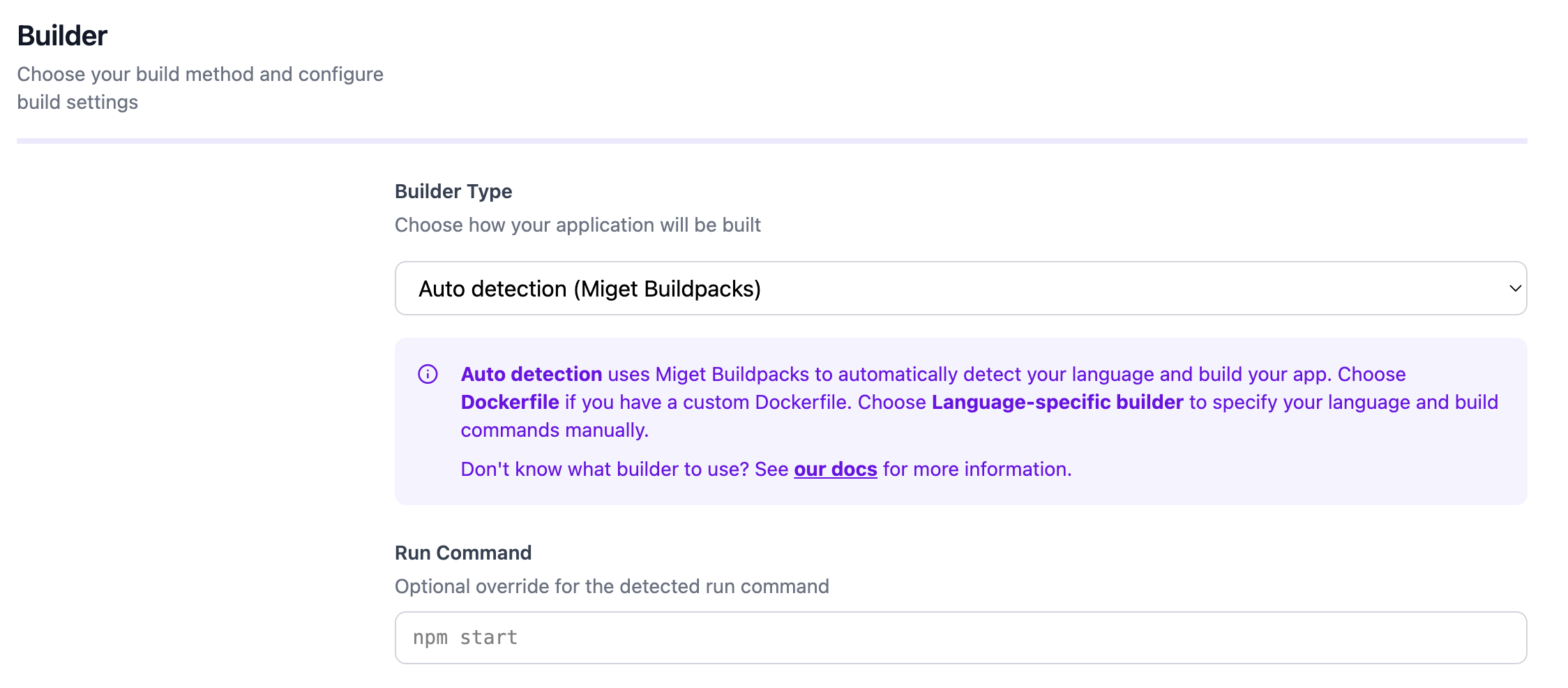 You can optionally override the default run command if your application requires a custom start command.
### Advanced Settings
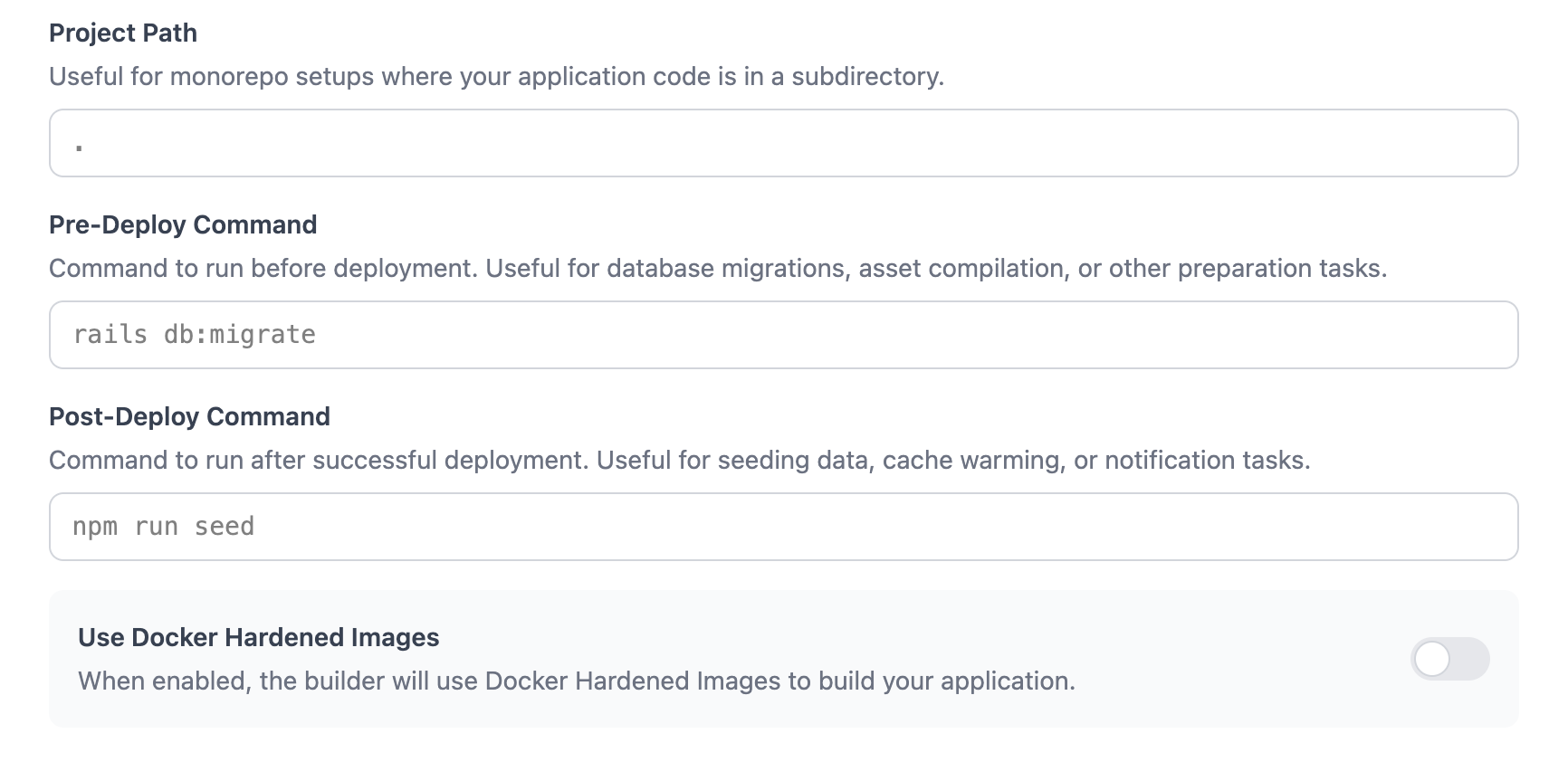
In the **Advanced** tab, you can configure additional build and deployment options:
- **Project Path** - For monorepo setups where your application code is in a subdirectory
- **Pre-Deploy Command** - A command to run before deployment, such as database migrations (e.g., `rails db:migrate`)
- **Post-Deploy Command** - A command to run after successful deployment, such as seeding data or cache warming (e.g., `npm run seed`)
- **Docker Hardened Images (DHI)** - Toggle to build with distroless runtime images for minimal attack surface
 ### Docker Hardened Images (DHI)
When you enable **Use Docker Hardened Images** in the Advanced tab, your application runs on distroless runtime images from Docker that provide:
- Minimal attack surface
- No shell or package manager in the final image
- Smaller image size
- Available for most supported languages
DHI is recommended for production workloads where security is a priority.
## Configuration
Miget Buildpacks support several configuration options, all optional:
- **Version files** - Language-specific files like `.nvmrc`, `.python-version`, or `.ruby-version` to pin your runtime version
- **Procfile** - Define process types and their start commands (e.g., `web: node server.js`)
- **[app.json](/overview/app-json)** - Application manifest for environment variables, process counts, and database addons
- **Environment variables** - Set build-time and runtime environment variables to customize your build
- **Custom run command** - Override the default start command in the Miget dashboard
- **Pre/Post-Deploy commands** - Run tasks before or after deployment in the Advanced tab
## Advantages
- **Zero configuration** - Push your code and migetpacks handles the rest
- **Official upstream images** - Builds use trusted Docker Hub images for every language
- **Smart dependency detection** - Automatically identifies your package manager and lockfile
- **Multi-stage builds with layer caching** - Fast rebuilds and small final images
- **Consistent, reproducible builds** - The same source always produces the same image
## Learn More
Browse language-specific configuration in the Languages > Buildpacks section
Compare Miget Buildpacks and Dockerfile workflows
Full specification, supported features, and release notes