

Creating a Database
You can create a MySQL database on Miget in under a minute. Go to app.miget.com, select You App, then Addons -> MySQL -> Add from the Miget Dashboard.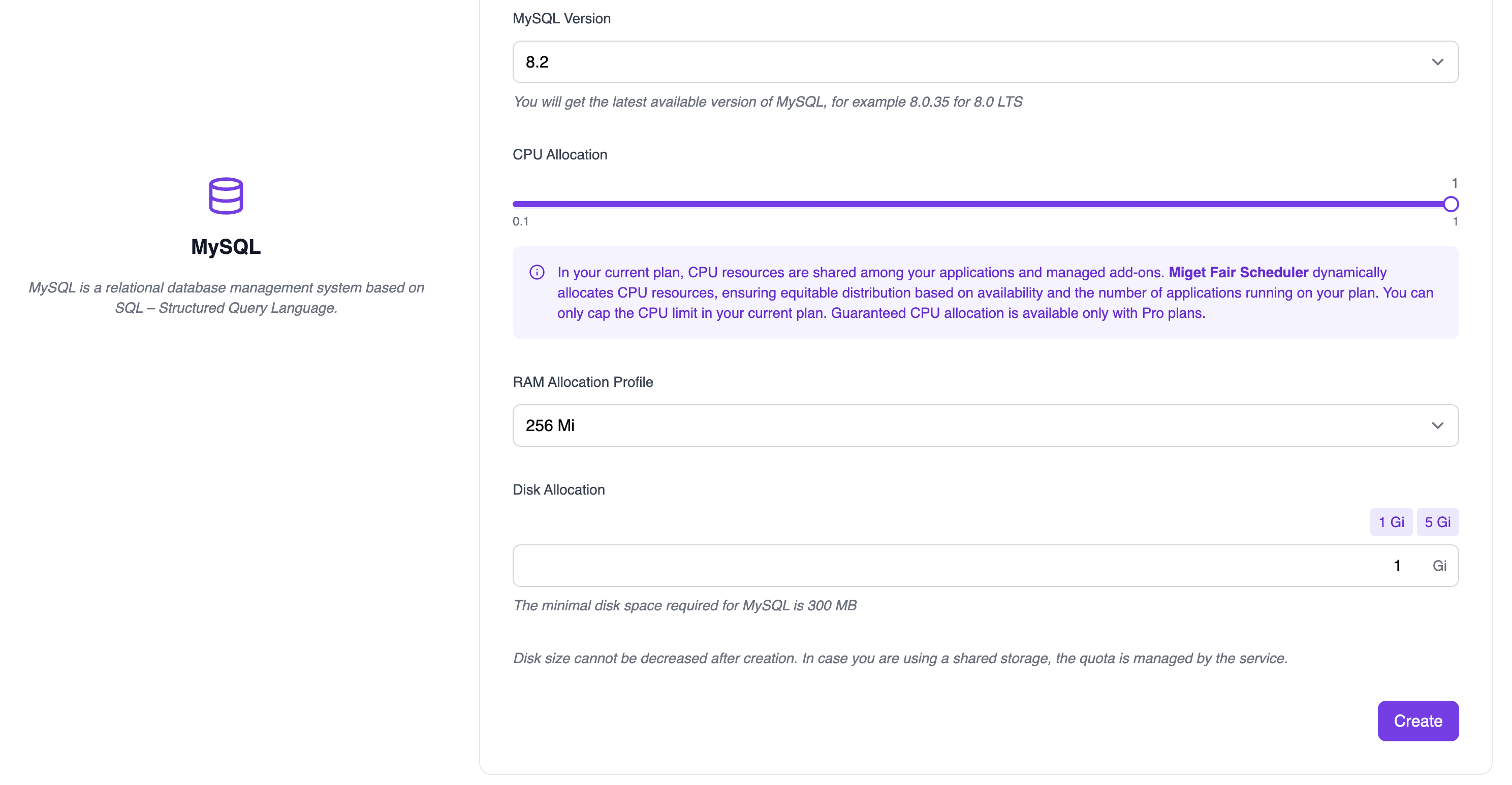
- 8.2
- 8.0 LTS
You can’t declare MySQL in
app.json. Only PostgreSQL and Valkey addons are provisioned from it. Add MySQL from the dashboard or the API.Memory Profiles
Managed Miget’s MySQL instances are pre-configured with memory profiles. Miget MySQL plans ranging from 128 Mi to 8 Gi. If you need more - we can always work with you to provide a custom plan; just contact us at hello@miget.comConnecting to Your Database
How you connect to your database depends on your code: some frameworks expect a single connection string or URL in an environment variable, while others need multiple connection parameters in a configuration file.When you add a MySQL addon, Miget will automatically generate and set a
DATABASE_URL variable with a value like mysql://envgcg0w:hzKaYosbro6B@mysql-ciahpcpx.migetcyy.eu-east-1.migetapp.internal:3306/ciahpcpx. This means you don’t have to manually configure your database connection-Miget handles it for you, ensuring the connection details are securely stored and easily accessible by your application during runtime.Connecting from Apps on Miget
Using internal connection values is the recommended way for your apps to connect to your Miget database. The hostname, username, database, and password are displayed on the Addon database page: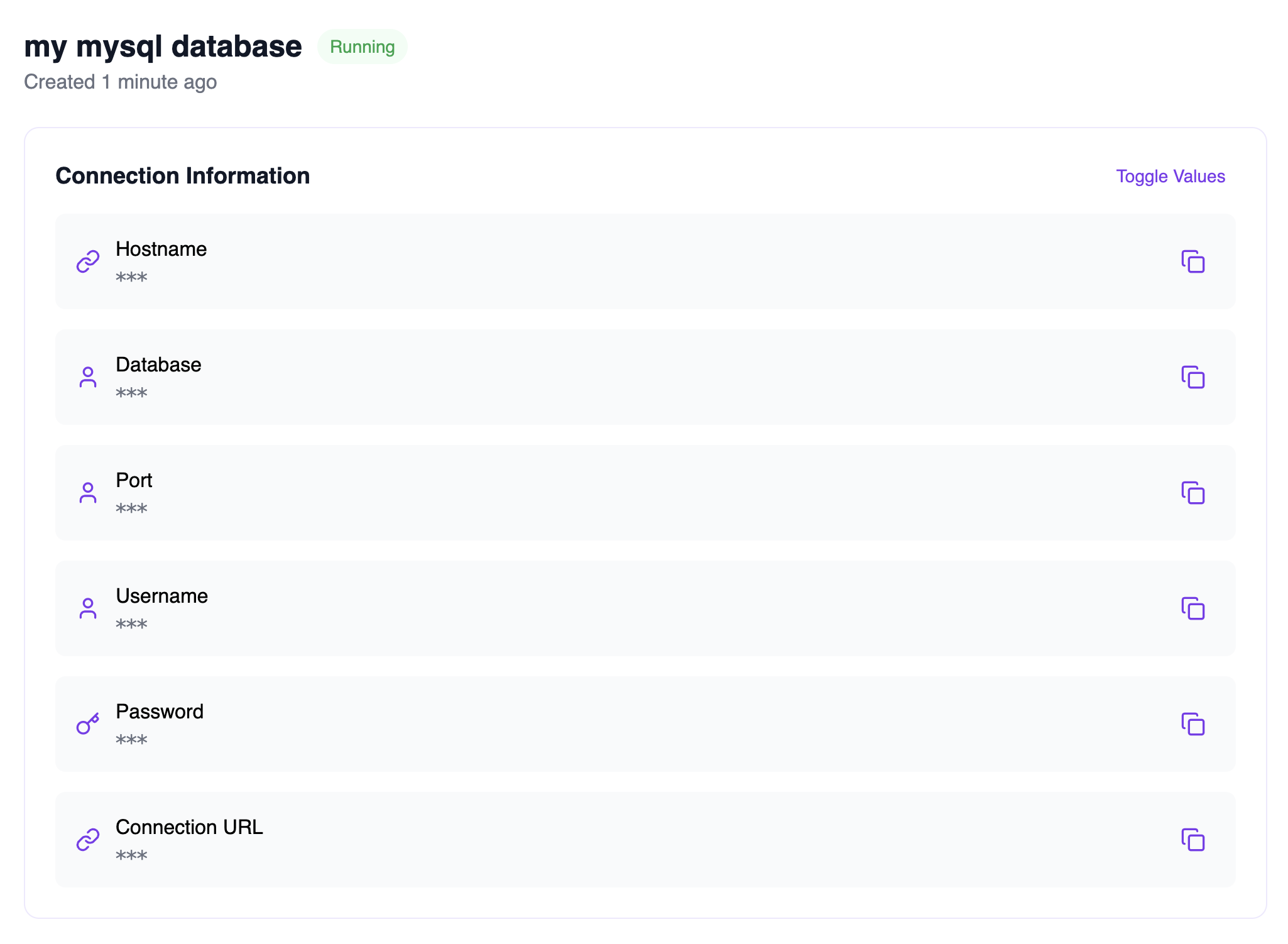
mysql://envgcg0w:hzKaYosbro6B@mysql-ciahpcpx.migetcyy.eu-east-1.migetapp.internal:3306/ciahpcpx is also available if needed. Many database frameworks allow (or require) a connection string instead of individual connection parameters.
Connecting from Outside Miget
You might want to run ad-hoc queries or migrations against your database from machines outside Miget. In these cases you can connect to your database using Ngrok. Please follow Connect to a Miget services using Ngrok.Backups
We take complete database backups every day and retain all backups for at least 7 days.Disk Space
We offer MySQL plans ranging from 128 Mi to your current Miget plan’s limit of storage per instance. The database storage limit applies to all storage the MySQL database needs, including caches, indices, etc. Backup storage does not count toward your plan’s storage limit. If you need more - we can always work with you to provide a custom plan; just contact us at hello@miget.comMetrics
Dashboard
You can view database metrics any time in the Miget Dashboard. Currently, we support the following:
You can see these metrics under Miget Overview page.
Database Versions & Upgrades
Miget currently supports MySQL 8.0 LTS and 8.2. You can select the major version of your database at creation time, after which it cannot be changed. We will periodically upgrade the minor version of your databases to apply the latest security fixes. For any maintenance periods that require downtime, we email you ahead of time. We also allow you to run the maintenance yourself, simply stop and start your database from the Miget Dashboard. A newer Docker image of MySQL will run your database.Upgrading to a New MySQL Major Version
MySQL supports upgrading between minor versions (within an LTS series) and to the next major version (across LTS series). Upgrading provides the latest features, performance improvements, and security fixes. There are three main approaches to upgrading your MySQL instance:-
In-Place Upgrade
An in-place upgrade involves replacing the MySQL Server packages on the same instance. This method preserves data in the current data directory and allows upgrading with minimal downtime. -
Logical Upgrade
A logical upgrade involves exporting SQL from the old MySQL instance and importing it into the new one. This method is more thorough and safer for major version upgrades, as it allows a clean migration to the new instance. -
Replication Topology Upgrade
For setups with replication, you’ll need to account for the role of each server in the topology. This may involve upgrading replicas first, then the master, ensuring replication continues with minimal downtime.
Miget currenty only supports Logical Upgrade
Steps for a Logical Upgrade
- Set up a new MySQL database instance with the desired version.
- Stop any applications that write to the current database to avoid discrepancies between the existing data and the backup.
-
Create a backup of your current MySQL database using
mysqldump - Restore the backup to the new MySQL database instance.
- Update your applications to connect to the new database and resume their operation.
mysqldump command. This allows you to export your database to a file (be sure to replace the relevant database variables and update the hostname for Ngrok as needed):