

- Databases such as MySQL and PostgreSQL.
- CMS platforms like WordPress.
- Collaboration tools like Discourse.
- Developer tools like GitHub Actions Runner.
- Single-Instance (RWO): Designed for speed, this storage is mounted to a single pod only. If you scale your application to multiple replicas, additional pods will remain in a Pending state as they cannot access the volume. Best for standalone databases or applications that don’t require horizontal scaling.
- Multi-Instance (RWX): A CephFS-backed high-availability option that allows multiple replicas of the same application to share access to the storage simultaneously. Ideal for horizontally scaled applications, cronjobs, and workers within a single app.
- Shared Storage Service: A workspace-level CephFS storage that can be mounted across multiple different applications. Unlike the above options which are scoped to a single app, Shared Storage allows completely separate applications to read from and write to the same files.
Get Started
You can add a disk to your App by going to app.miget.com, selecting your App, then Add-ons → Add more → Storage from the Miget Dashboard.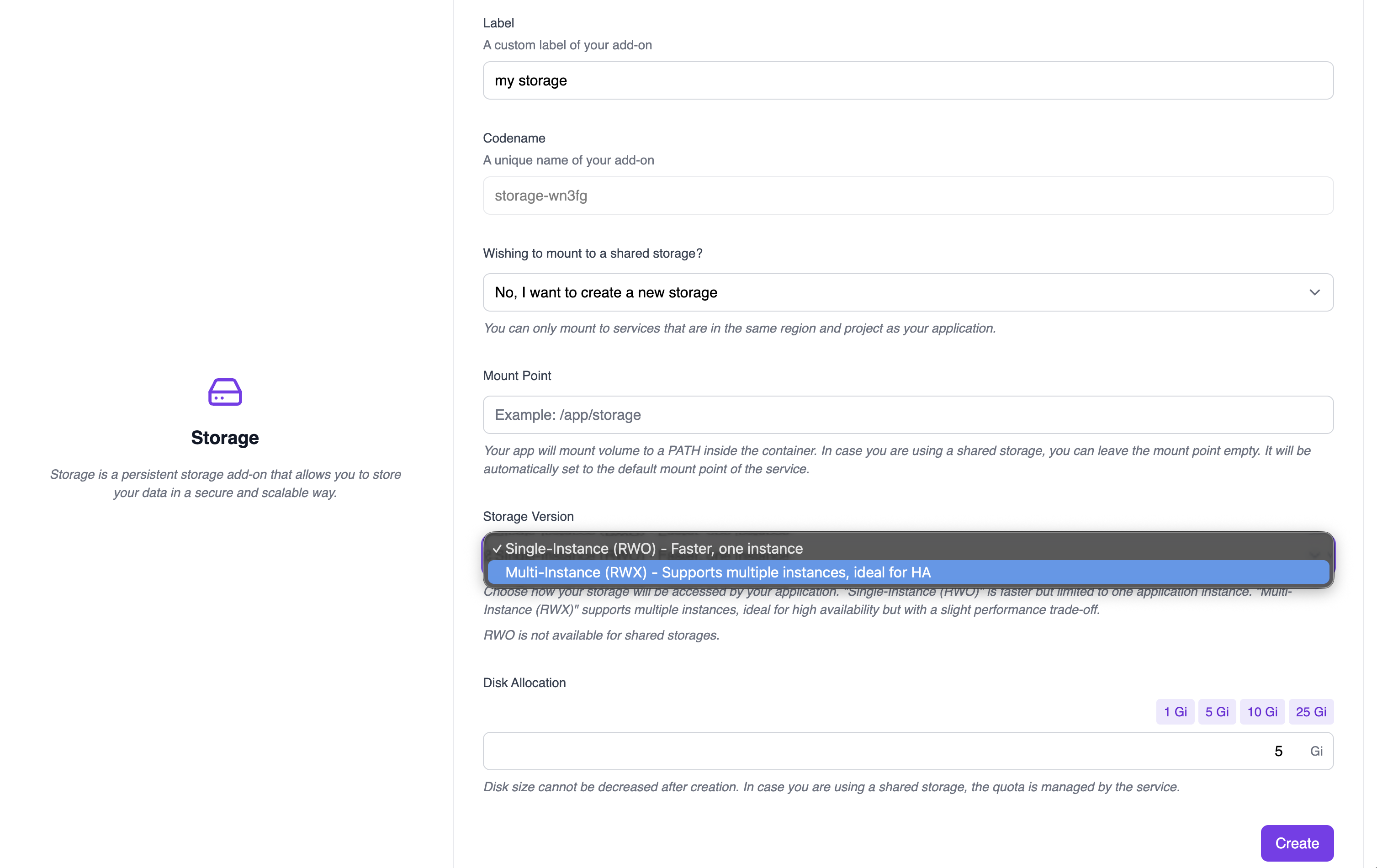
- Label: A custom label for your storage add-on.
- Codename: A unique name automatically generated for the add-on.
- Wishing to mount to a shared storage?: Select “No, I want to create a new storage” to create a dedicated volume for this app, or choose an existing shared storage service.
-
Mount Point: The path where the volume will be mounted inside the container (e.g.,
/app/storage). If using shared storage, you can leave this empty to use the service’s default mount point. -
Storage Version: Choose between:
- Single-Instance (RWO): Faster performance, but limited to a single pod. If you scale to multiple replicas, additional pods will remain Pending.
- Multi-Instance (RWX): CephFS-backed storage that supports multiple replicas of your application sharing the same volume.
RWO is not available when mounting to a shared storage service. - Disk Allocation: Select the storage size using the preset buttons (1 Gi, 5 Gi, 10 Gi, 25 Gi) or enter a custom value. Disk size cannot be decreased after creation.
Disk Snapshots
We take complete backups every day and retain all backups for at least 7 days.Application Considerations
- Single-Instance (RWO) scaling limitation: With RWO storage, only one pod can mount the volume at a time. If you attempt to scale your application to multiple replicas, additional pods will remain in a Pending state indefinitely. Use Multi-Instance (RWX) if you need to run multiple replicas.
- Deployment behavior with storage: Adding a disk to a service impacts zero-downtime deployments. When deploying a new version, the application must first be stopped to prevent writes to the disk, ensuring data integrity. Only after this step is the new version brought up. Although this typically takes only a few seconds, your application will be briefly unavailable during the process.
- Disk resizing: You can increase the allocated size of your disk at any time without causing downtime, and the service will recognize the new disk size in seconds. However, reducing the disk size after creation is not supported.