

When creating a new Miget compute resource, you select the region where your resource will be deployed. Choosing a region closest to your users reduces latency and improves performance.

Available Regions

RegionLocationCode
EuropeWarsaw, Polandeu-east-1
United StatesVint Hill, USAus-east-1
Coming soon:
RegionLocationCode
Asia PacificSingaporeap-southeast-1

Selecting a Region

You select your region during the first step of Miget creation. Choose the region that is closest to your users to reduce latency and improve performance.
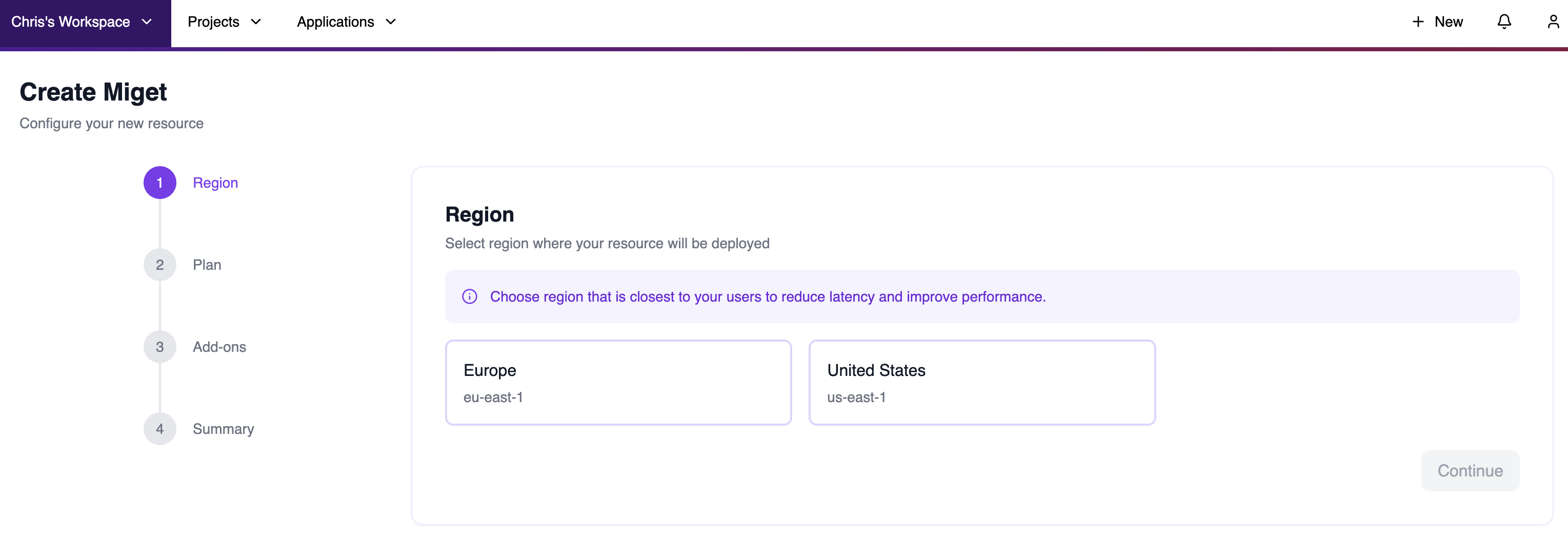
Select region during Miget creation

Changing Regions

Miget doesn’t currently support changing the region for an existing resource. To move to a different region:
  1. Create a new Miget resource in the desired region.
  2. Deploy your applications to the new resource.
  3. Migrate your data and configuration as needed.

Private Networking

Each region has its own isolated private network. Services in different regions cannot communicate directly over the private network. To enable cross-region communication, you must route traffic over the public internet with appropriate security measures (TLS, authentication, etc.).