

For the full migetpacks specification and release notes, visit migetpacks.com.
Supported Languages
Miget Buildpacks support 14 languages and their ecosystems:How It Works
Miget Buildpacks run through four phases to turn your source code into a container image.1. Language Detection
migetpacks scans your repository for marker files to determine which language and framework your application uses. For example, apackage.json file triggers the Node.js buildpack, while a go.mod file triggers the Go buildpack.
2. Version Detection
Once the language is identified, migetpacks reads version files to determine the exact runtime version you need:- Node.js:
.nvmrc,.node-version,package.jsonenginesfield - Python:
.python-version,runtime.txt - Ruby:
.ruby-version,Gemfile - Go:
go.moddirective
20 resolves to the latest Node.js 20.x release).
3. Dockerfile Generation
migetpacks generates an optimized multi-stage Dockerfile using official Docker Hub base images (node, python, ruby, golang, etc.). The generated Dockerfile includes:
- Dependency layer caching - dependencies are installed in a separate stage so rebuilds only rerun when your lockfile changes
- Multi-stage builds - build tools stay out of the final image, reducing size and attack surface
- Official base images - every build starts from trusted, maintained upstream images
4. Build and Push
The generated Dockerfile is built with BuildKit and the resulting image is pushed to the container registry for deployment.Using Miget Buildpacks
During app creation or when changing your deployment source, select Auto detection (Miget Buildpacks) as the Builder Type. This is the default builder type for new applications.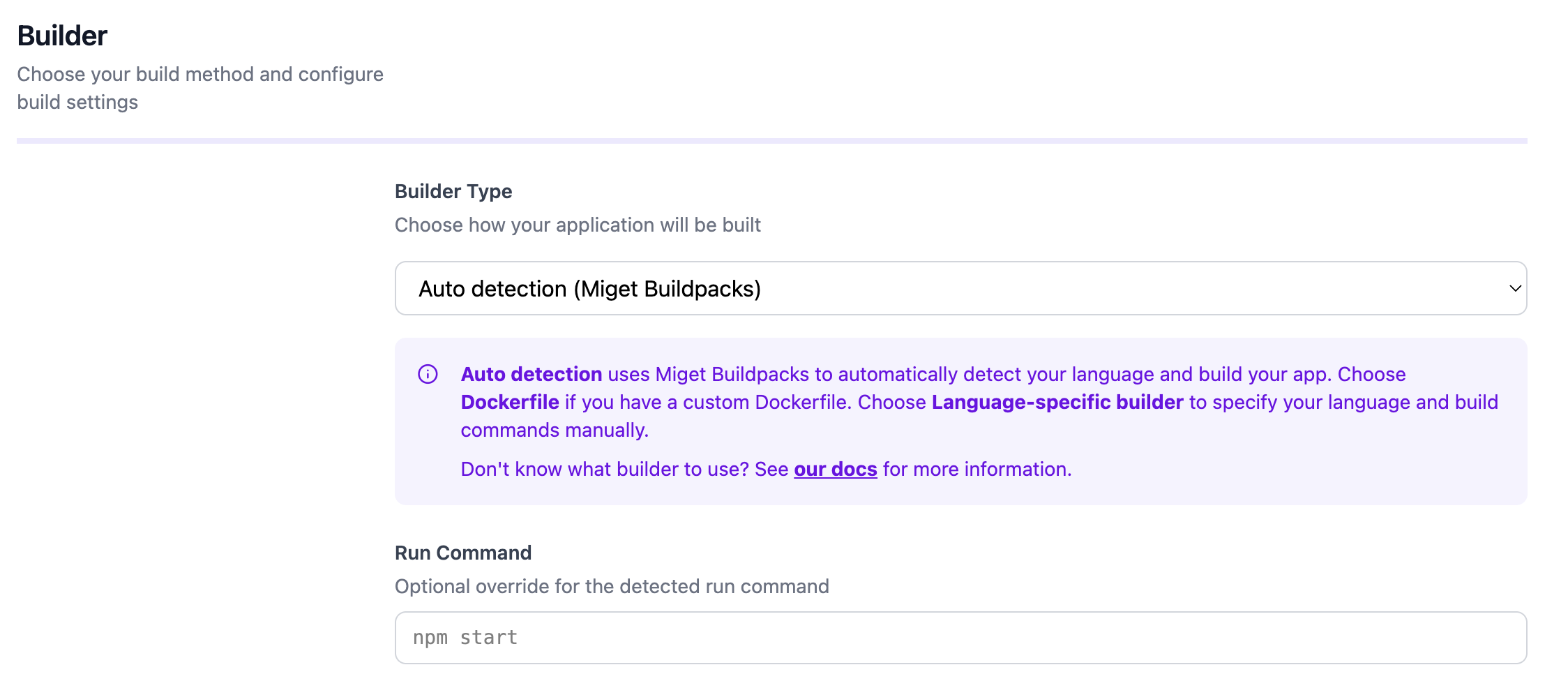
Advanced Settings
In the Advanced tab, you can configure additional build and deployment options:- Project Path - For monorepo setups where your application code is in a subdirectory
- Pre-Deploy Command - A command to run before deployment, such as database migrations (e.g.,
rails db:migrate) - Post-Deploy Command - A command to run after successful deployment, such as seeding data or cache warming (e.g.,
npm run seed) - Docker Hardened Images (DHI) - Toggle to build with distroless runtime images for minimal attack surface
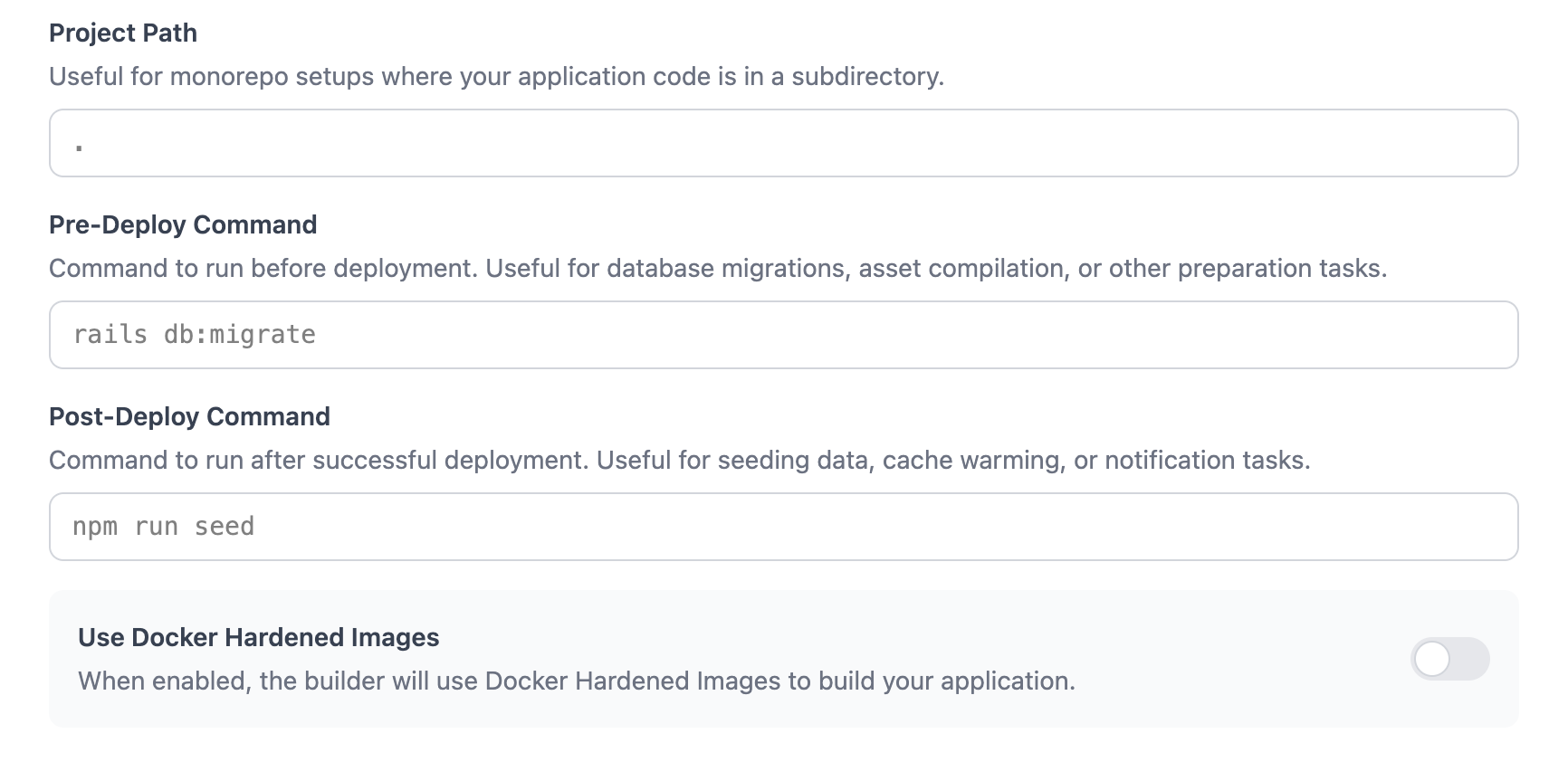
Docker Hardened Images (DHI)
When you enable Use Docker Hardened Images in the Advanced tab, your application runs on distroless runtime images from Docker that provide:- Minimal attack surface
- No shell or package manager in the final image
- Smaller image size
- Available for most supported languages
DHI is recommended for production workloads where security is a priority.
Configuration
Miget Buildpacks support several configuration options, all optional:- Version files - Language-specific files like
.nvmrc,.python-version, or.ruby-versionto pin your runtime version - Procfile - Define process types and their start commands (e.g.,
web: node server.js) - app.json - Application manifest for environment variables, process counts, and database addons
- Environment variables - Set build-time and runtime environment variables to customize your build
- Custom run command - Override the default start command in the Miget dashboard
- Pre/Post-Deploy commands - Run tasks before or after deployment in the Advanced tab
Advantages
- Zero configuration - Push your code and migetpacks handles the rest
- Official upstream images - Builds use trusted Docker Hub images for every language
- Smart dependency detection - Automatically identifies your package manager and lockfile
- Multi-stage builds with layer caching - Fast rebuilds and small final images
- Consistent, reproducible builds - The same source always produces the same image
Learn More
Language Guides
Browse language-specific configuration in the Languages > Buildpacks section
Build Methods
Compare Miget Buildpacks and Dockerfile workflows
migetpacks Documentation
Full specification, supported features, and release notes