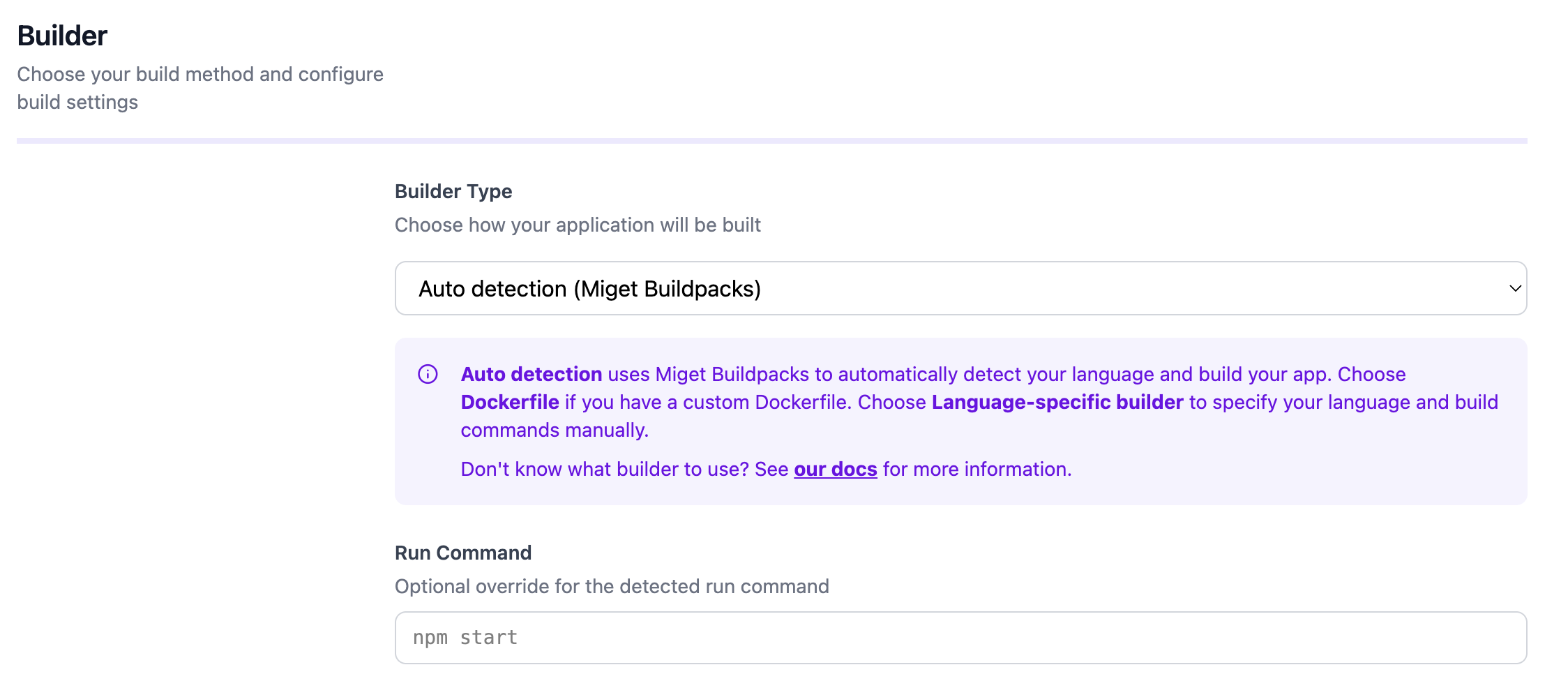
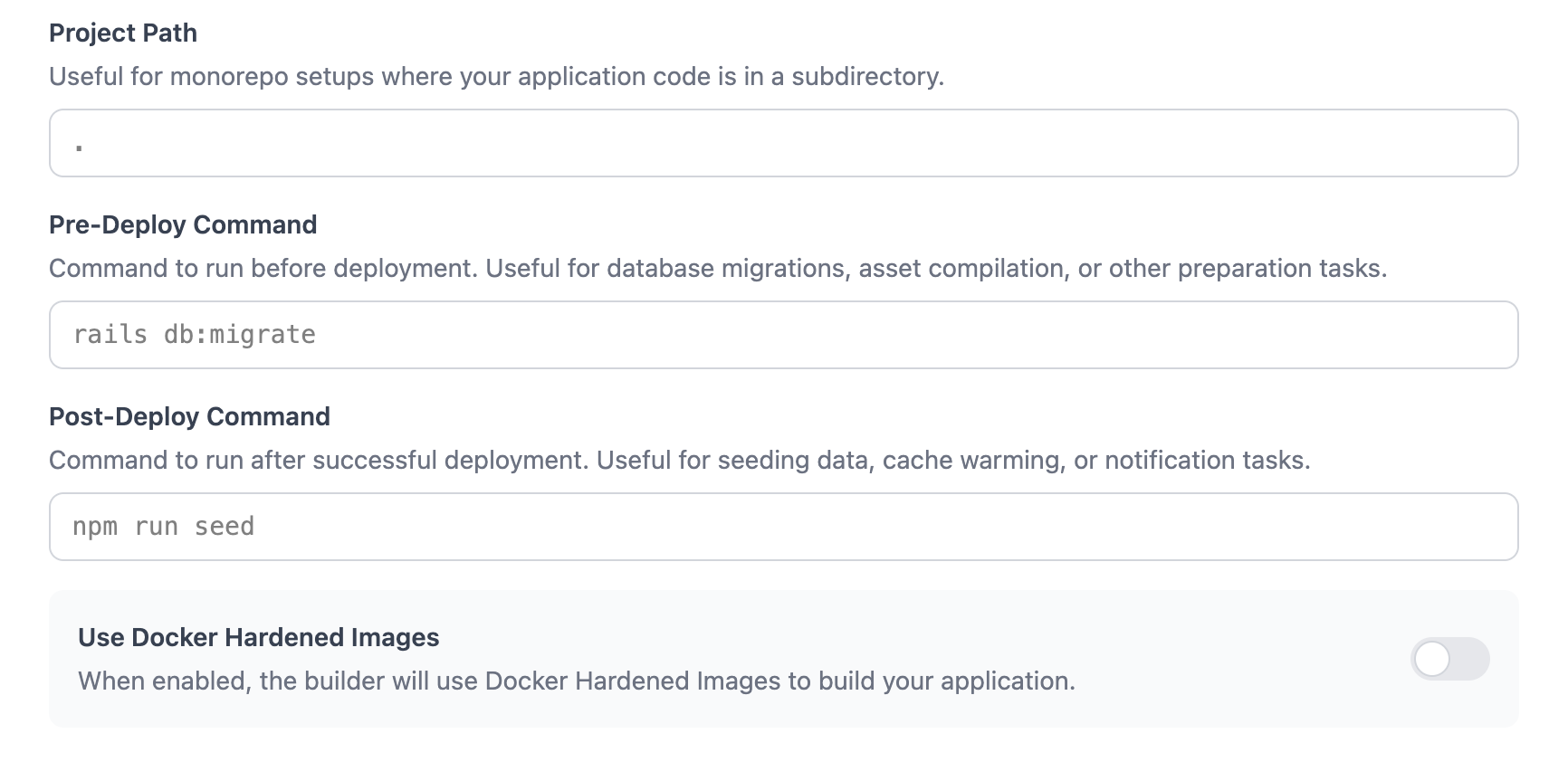
Overview

This documentation is adapted for Miget purposes and is based on information from the Paketo HTTPD Buildpack documentation.
This documentation explains how to use the HTTPD Paketo buildpack and NGINX Paketo buildpack with Miget to build applications for several common use-cases. For more in-depth description of the buildpacks’ behavior and configuration see the Paketo HTTPD Buildpack and Paketo NGINX Buildpack. For more in-depth description of the buildpack’s behavior and configuration see the Paketo HTTPD Buildpack Reference documentation and Paketo NGINX Buildpack Reference documentation If your intention is to deploy an app using a Dockerfile, please refer to the Dockerfile page for guidance and best practices.

Prerequisites

The pack CLI is used throughout the examples. Examples assume that the Paketo Base builder is the default builder:
$ pack config default-builder paketobuildpacks/builder-jammy-full

Example httpd App

A demo instance of this app is hosted at static.onmiget.com.

Build

$ git clone git@github.com:migetapp/static-hello-world.git
$ cd static-hello-world
$ pack build static-hello-world

Run

$ docker run -p 5000:5000 -e PORT=5000 static-hello-world
The example app should now be running on localhost:5000.

HTTPD

Install a Specific HTTPD Version

The HTTPD CNB (Cloud Native Buildpack) allows you to specify a version of the Apache HTTP Server to use during deployment. This version can be specified through the BP_HTTPD_VERSION environment variable. When specifying a version of the Apache HTTP Server, you must choose a version that is available within the buildpack. The supported versions can be found here Specifying a version of httpd is not required. In the case that it is not specified, the buildpack will provide the default version listed in the release notes.

With ENV variable

To configure the buildpack to use HTTPD v2.4.46 when deploying your app, set the BP_HTTPD_VERSION environment variable at build time. Environment Variable set under Settings -> Variables: BP_HTTPD_VERSION="2.4.46"

Automatically Generate an httpd.conf

The Apache HTTPD Server Buildpack supports building static applications that do not include an httpd.conf. When the BP_WEB_SERVER environment variable is set to httpd, the buildpack will generate an http.conf during the build process. BP_WEB_SERVER=httpd

Set the Root Directory for Static Files

The BP_WEB_SERVER_ROOT variable allows you to modify the location of the static files served by the web server. Its default value is /workspace/public. Set the BP_WEB_SERVER_ROOT variable to an absolute file path or a file path relative to /workspace. For example, setting BP_WEB_SERVER_ROOT=my-build-directory changes the file path of served files to /workspace/my-build-directory. BP_WEB_SERVER_ROOT=htdocs

Enable Push-State Routing

The BP_WEB_SERVER_ENABLE_PUSH_STATE variable enables push state routing functionality. This is useful for single-page web applications. BP_WEB_SERVER_ENABLE_PUSH_STATE=true

Redirect HTTP Requests to HTTPS

The BP_WEB_SERVER_FORCE_HTTPS variable enables enforcing HTTPS for server connections. HTTP requests will be redirected to the corresponding HTTPS endpoint. BP_WEB_SERVER_FORCE_HTTPS=true

Set Up Basic Authentication

This isn’t yet fully supported at Miget. We are working on mouting Miget Volumes for the builder environment
You are able to provide basic authentication credentials via a service binding of type htpasswd that specifies the contents of a .htpasswd file. The service binding should have the following directory structure:
binding
└── type
└── .htpasswd

Start an HTTPD Server at App Launch Time

Include an httpd.conf file in your application’s source code or set BP_WEB_SERVER=httpd in the build environment to automatically generate one. The HTTPD Paketo buildpack will install the Apache HTTP Server binary and configure it to start when the app image launches.

NGINX

Install a Specific NGINX Version

The HTTPD CNB (Cloud Native Buildpack) allows you to specify a version of the NGINX Server to use during deployment. This version can be specified through the BP_NGINX_VERSION environment variable. When specifying a version of the NGINX Server, you must choose a version that is available within the buildpack. The supported versions can be found here Specifying a version of nginx is not required. In the case that it is not specified, the buildpack will provide the default version listed in the release notes.

With ENV variable

To configure the buildpack to use NGINX v1.19.8 when deploying your app, set the BP_NGINX_VERSION environment variable at build time. Environment Variable set under Settings -> Variables: BP_NGINX_VERSION="1.19.8"

Automatically Generate an nginx.conf

The NGINX Buildpack supports building static applications that do not include an nginx.conf. When the BP_WEB_SERVER environment variable is set to nginx, the buildpack will generate an nginx.conf during the build process. BP_WEB_SERVER=nginx

Set the Root Directory for Static Files

The BP_WEB_SERVER_ROOT variable allows you to modify the location of the static files served by the web server. Its default value is /workspace/public. Set the BP_WEB_SERVER_ROOT variable to an absolute file path or a file path relative to /workspace. For example, setting BP_WEB_SERVER_ROOT=my-build-directory changes the file path of served files to /workspace/my-build-directory. BP_WEB_SERVER_ROOT=htdocs

Set Location Path for the Server

In auto-generated nginx.conf, the server.location directive is set to the catch-all or default location block. You can override this by setting the BP_WEB_SERVER_LOCATION_PATH variable. BP_WEB_SERVER_LOCATION_PATH="/custom"

Enable Push-State Routing

The BP_WEB_SERVER_ENABLE_PUSH_STATE variable enables push state routing functionality. This is useful for single-page web applications. BP_WEB_SERVER_ENABLE_PUSH_STATE=true

Redirect HTTP Requests to HTTPS

The BP_WEB_SERVER_FORCE_HTTPS variable enables enforcing HTTPS for server connections. HTTP requests will be redirected to the corresponding HTTPS endpoint. BP_WEB_SERVER_FORCE_HTTPS=true

Obtain real-time status info

This isn’t yet fully supported at Miget. We are working on exposing ports different than 5000 for apps
The BP_NGINX_STUB_STATUS_PORT variable exposes a handful of NGINX Server metrics via the stub_status module which provides basic status information on provided port. The info will be made available at the path /stub_status at the specified port. Make sure that this port isn’t used anywhere else in your application. BP_NGINX_STUB_STATUS_PORT=8083

Set Up Basic Authentication

This isn’t yet fully supported at Miget. We are working on mouting Miget Volumes for the builder environment
You are able to provide basic authentication credentials via a service binding of type htpasswd that specifies the contents of a .htpasswd file. The service binding should have the following directory structure:
binding
└── type
└── .htpasswd

Start an NGINX Server at App Launch Time

Include an httpd.conf file in your application’s source code or set BP_WEB_SERVER=nginx in the build environment to automatically generate one. The NGINX Paketo buildpack will install the NGINX Server binary and configure it to start when the app image launches.

Configure the NGINX Server with Launch-time Values

The NGINX buildpack supports data driven templates for nginx config. You can use templated variables like {{port}}, {{env "FOO"}} and {{module "ngx_stream_module"}} in your nginx.conf to use values known at launch time.

PORT

At Miget, PORT is statically set to 5000. You cannot change it.
Use {{port}} to dynamically set the port at which the server will accepts requests. At launch time, the buildpack will read the value of $PORT to set the value of {{port}}. For example, to set an NGINX server to listen on $PORT, use the following in your nginx.conf file:
server {
  listen {{port}};
}

Environment Variables

This is a generic case of the {{port}} directive described earlier. To use the value of any environment variable $FOOVAR available at launch time, use the directive {{env "FOOVAR"}} in your nginx.conf. For example, include the following in your nginx.conf file to enable or disable gzipping of responses based on the value of GZIP_DOWNLOADS: gzip {{env "GZIP_DOWNLOADS"}};

Use Dynamic Modules at App Launch Time

You can use templates to set the path to a dynamic module using the load_module directive. To load a user-provided module named ngx_foo_module, provide a modules/ngx_foo_module.so file in your app directory and add the following to the top of your nginx.conf file:
{{module "ngx_foo_module"}}
To load a buildpack-provided module like ngx_stream_module, add the following to the top of your nginx.conf file. You do not need to provide an ngx_stream_module.so file:
{{module "ngx_stream_module"}}
NGINX requires that the dynamic module be built against the exact version of NGINX that your’re targeting, and be built on the same arch/platform. See this NGINX blog post on how to compile third-party dynamic modules. See the NGINX docs for more information about how to set up an nginx.conf file.

Build and Serve a Frontend Framework App

The Paketo Web Servers buildpack combines buildpacks for Node.js with buildpacks for Apache HTTP Server and NGINX. As a result, it can build JavaScript source code into production-ready static assets, then automatically configure a web server to serve those assets.
  1. Define a script under the "scripts" property of your package.json that builds your production-ready static assets. Most frameworks bootstrap this automatically. For React, it’s "build".
  2. Find out where static assets are stored after the build script runs. It’ll be a directory under the root of the app directory. For React, this is ./build by default.
  3. Select which web server to use: NGINX or HTTPD.
  4. For NGINX: Set environment variables to configure the server. BP_NODE_RUN_SCRIPTS should be set to the name of the build script from step 1. BP_WEB_SERVER_ROOT should be set to the build output directory from step 2 Environment Variable set under Settings -> Variables:
    BP_NODE_RUN_SCRIPTS=build
    BP_WEB_SERVER=nginx
    BP_WEB_SERVER_ROOT=build
    
  5. For HTTPD: Set environment variables to configure the server. BP_NODE_RUN_SCRIPTS should be set to the name of the build script from step 1. BP_WEB_SERVER_ROOT should be set to the build output directory from step 2. Environment Variable set under Settings -> Variables:
    BP_NODE_RUN_SCRIPTS=build
    BP_WEB_SERVER=httpd
    BP_WEB_SERVER_ROOT=build
    

Enable DEBUG logging

Users of the Node.js buildpack can access extra debug logs during the image build process by setting the BP_LOG_LEVEL environment variable to DEBUG at build time. Additional debug logs will appear in build logs if the relevant buildpacks have debug log lines. Environment Variable set under Settings -> Variables: BP_LOG_LEVEL=DEBUG