---
title: "Valkey"
description: "Use Miget-managed Valkey (Redis-compatible) instances."
---
Valkey is an open-source, Redis-compatible, in-memory caching and key-value storage service offered by Miget. Built as a Redis®[*](#note) clone, it provides the same high throughput and ultra-low latency operations that Redis® is known for. Valkey is highly flexible, supporting a wide range of use cases such as caching, session management, and real-time data streaming.
Miget offers fully managed Valkey instances, allowing you to integrate it seamlessly into your infrastructure with secure, reliable, and fully automated management. This hands-off solution makes Valkey an easy choice for developers needing high-performance caching and data storage without the operational overhead.
## Creating a Valkey instance
You can create a Valkey instance on Miget in under a minute. Go to [app.miget.com](https://app.miget.com), select **You App**, then **Addons -> Valkey -> Add** from the Miget Dashboard.
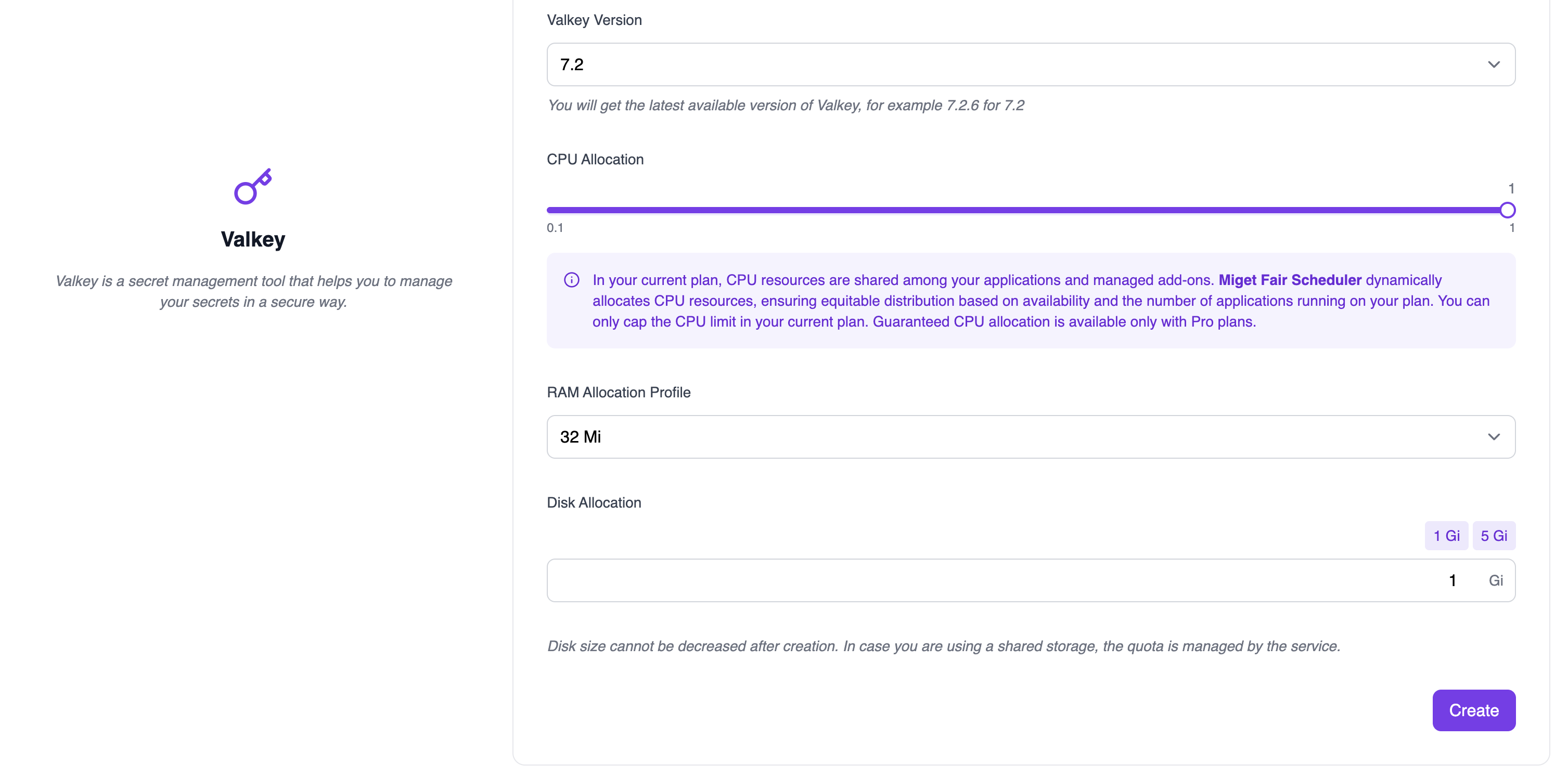
Select Valkey version, currently Miget support:
* 7.2
Select RAM size and Disk space for your instance. RAM size and Disk space count toward your Miget plan's limits.
The instance storage limit applies to all storage the Valkey instance needs.
Backup storage does not count toward your Miget plan's storage limit.
### From app.json
Declare the instance in your repository's [`app.json`](/overview/app-json) and Miget provisions it as an addon on your next build:
```json app.json
{
"addons": ["heroku-redis:premium-0"]
}
```
This creates Valkey 7.2 with 0.2 CPU, 128 Mi RAM, and 256 Mi disk, and sets `REDIS_URL` on your app. `valkey` or `redis` alone gives you the `mini` tier (0.2 CPU, 64 Mi RAM, 128 Mi disk). See [app.json addons](/overview/app-json#addons) for every tier and its size.
## Connecting to Your Valkey
How you connect to your Valkey instance depends on your code: some frameworks expect a single connection string or URL in an environment variable, while others need multiple connection parameters in a configuration file.
When you add a Valkey addon, Miget will automatically generate and set a `REDIS_URL` variable with a value like `redis://:ErqwrPmUCn2y@valkey-d3dct3t1.migetcyy.eu-east-1.migetapp.internal:6379/0`. This means you don’t have to manually configure your Valkey connection-Miget handles it for you, ensuring the connection details are securely stored and easily accessible by your application during runtime.
### Connecting from Apps on Miget
Using internal connection values is the recommended way for your apps to connect to your Miget's Valkey instance. The connections details are displayed on the Addon Valkey page:

An internal connection string that looks like `redis://:ErqwrPmUCn2y@valkey-d3dct3t1.migetcyy.eu-east-1.migetapp.internal:6379/0` is also available if needed. Many frameworks allow (or require) a connection string instead of individual connection parameters.
### Connecting from Outside Miget
You might want to run ad-hoc queries or command against your Valkey instance from machines outside Miget. In these cases you can connect to your Valkey instance using Ngrok. Please follow [Connect to a Miget services using Ngrok](/howto/connect/to-a-miget-services-using-ngrok/).
## Backups
We take complete backups **every day** and **retain all backups for at least 7 days**.
## Disk Space
We offer Valkey plans ranging from 128 Mi to your current Miget plan's limit of storage per instance. The Valkey instance storage limit applies to all storage the Valkey instance needs. Backup storage does not count toward your plan’s storage limit.
If you need more - we can always work with you to provide a custom plan; just contact us at [hello@miget.com](mailto:hello@miget.com)
## Metrics
### Dashboard
You can view Valkey instance metrics any time in the Miget Dashboard. Currently, we support the following:
| Metric | Description |
|:--------- | :------------------------ |
| CPU | The amount of CPU used |
| Memory | The amount of memory used |
You can see these metrics under Miget Overview page.
## Deleting Valkey instance
If you choose to delete a Valkey instance, we do not keep any backups or snapshots of your data. Be sure to download a backup before proceeding with deletion.
## Note
Redis is a registered trademark of Redis Ltd. Any rights therein are reserved to Redis Ltd. Any use by Miget is for referential purposes only and does not indicate any sponsorship, endorsement or affiliation between Redis and Miget.