To configure Cloudflare for custom domains, you need to set up DNS records and configure SSL/TLS encryption settings.
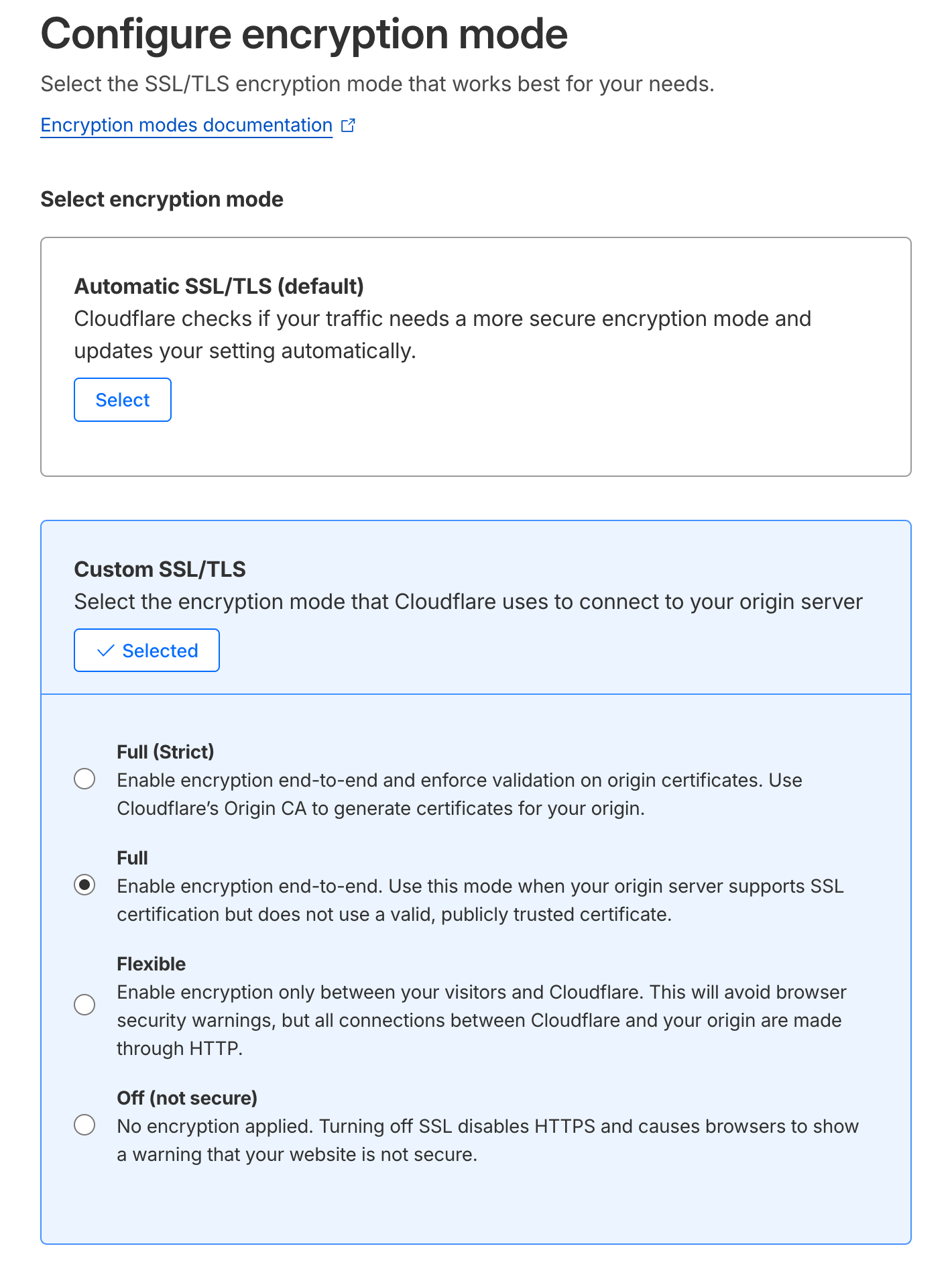
Miget fully supports end-to-end encryption between your origin (Miget) and Cloudflare. We strongly recommend using Full or Full (Strict) encryption mode, or leaving the Automatic SSL/TLS setting enabled.
To configure encryption:
-
Log in to your Cloudflare account and navigate to SSL/TLS → Overview for your domain.
-
Under Configure encryption mode, select one of the following:
- Automatic SSL/TLS (default): Cloudflare automatically detects and applies the most secure encryption mode for your domain.
- Full: Enables end-to-end encryption. Use this when your origin server supports SSL but does not have a publicly trusted certificate.
- Full (Strict): Enables end-to-end encryption with certificate validation. Use Cloudflare’s Origin CA to generate certificates for your origin.
Avoid using Flexible mode, which only encrypts traffic between visitors and Cloudflare while leaving the connection to your origin unencrypted. This is less secure than Full encryption.
Add DNS Records
-
Go to DNS → Records in your Cloudflare dashboard.
-
Add a CNAME record for your domain pointing to your Miget DNS target (e.g.,
ingress-<random>.migetns.com).
-
Enable the orange cloud (Proxy status) to route traffic through Cloudflare for DDoS protection and caching.
-
If using both apex and www domains, add CNAME records for both.
DNS changes typically propagate within a few minutes. Once complete, your custom domain will be live with full end-to-end encryption.