

migetapp.com domain, which remains stable and unchanging.
You can also bring your own custom domains to Miget with automatic SSL/TLS certificate provisioning through Let’s Encrypt and ZeroSSL. Certificates are automatically provisioned and renewed for your domains.
Adding a Custom Domain
Navigate to your application’s Settings → Domains section and click Add Domain.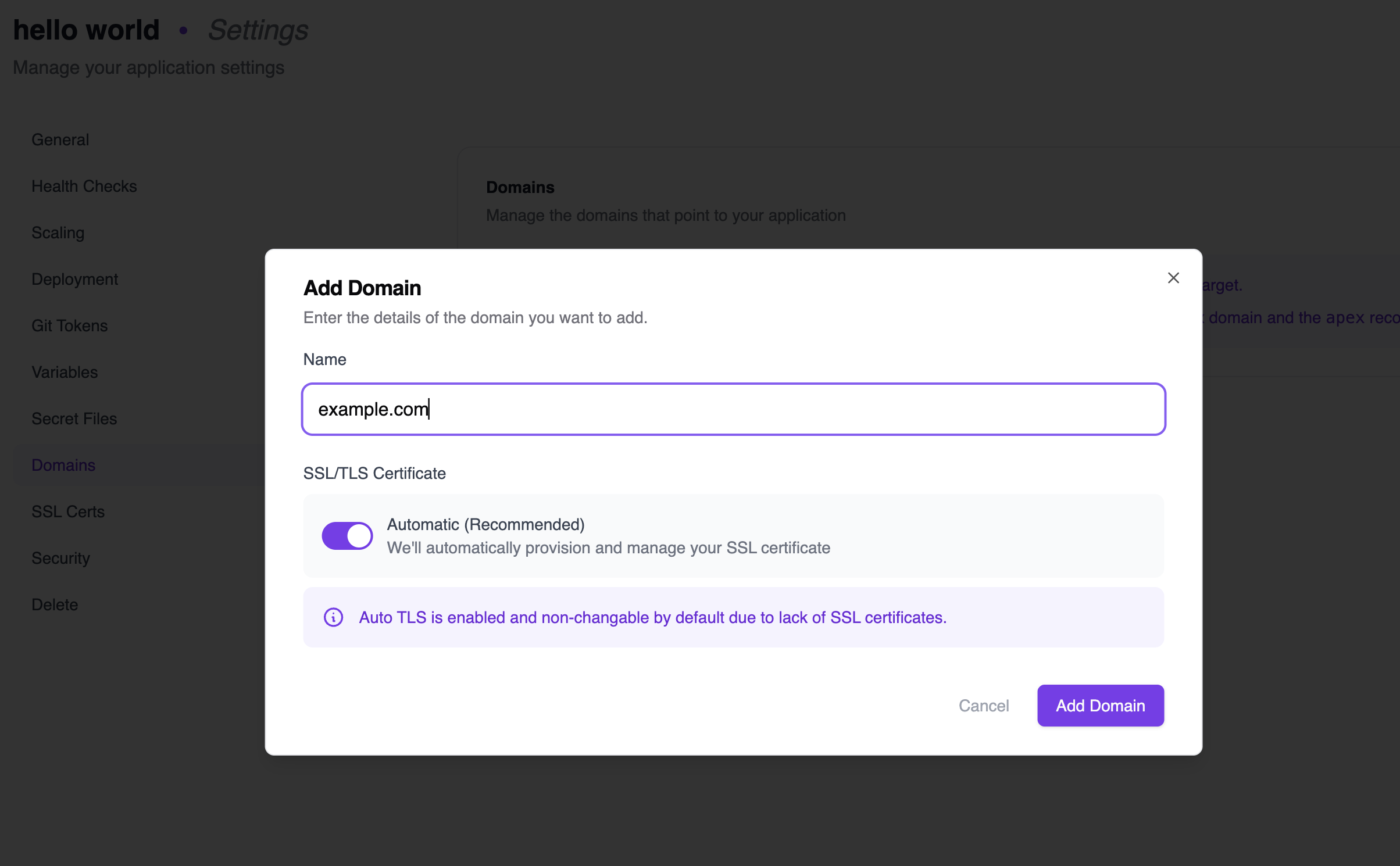
- Automatic (Recommended): Miget will automatically provision and manage your SSL certificate using Let’s Encrypt or other supported certificate authorities.
Domain Verification
After adding a domain, you must verify ownership by creating a TXT record with your DNS provider. The domain will show as Verification pending until this step is completed.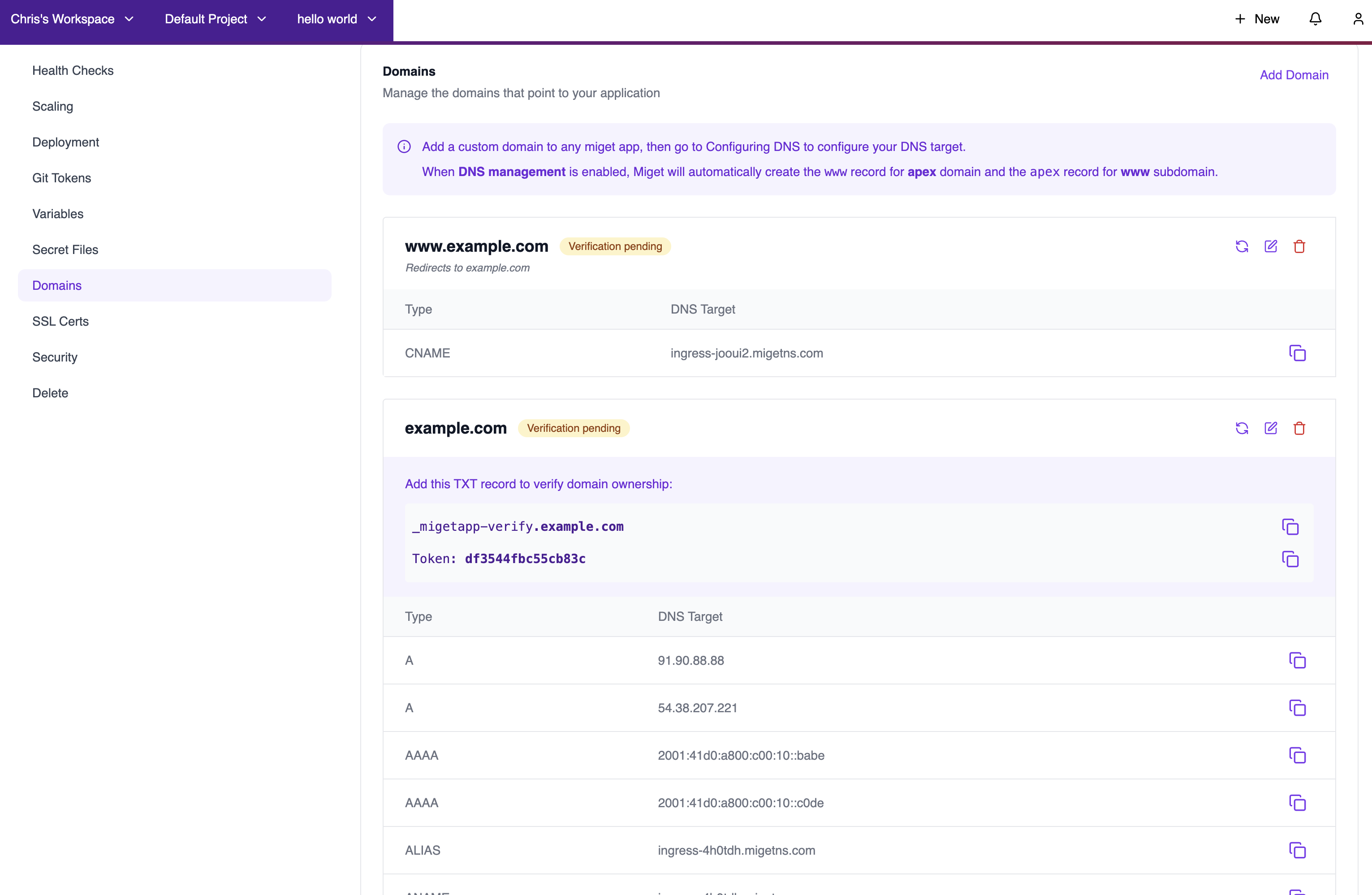
Once the TXT record is detected, your domain will be verified and SSL certificates will be provisioned automatically.
DNS Configuration
After verification, configure your DNS to point to Miget. The dashboard shows the required DNS records:
We provide detailed instructions for common DNS providers:
Apex and WWW Redirection
When DNS management is enabled, Miget automatically handles redirection between apex (root) and www domains:- If you add an apex domain (e.g.,
example.com), Miget automatically creates thewwwsubdomain record. - If you add a www subdomain (e.g.,
www.example.com), Miget automatically creates the apex domain record.
example.com or www.example.com, with automatic redirection to your preferred version.
SSL/TLS Certificates
Miget supports automatic SSL/TLS certificate provisioning through:- Let’s Encrypt - Free, automated certificates (default)
- ZeroSSL - Alternative ACME-compatible certificate authority
Note When Using Cloudflare With Wildcard Domains
All Miget services include Cloudflare’s DDoS protection. However, due to technical limitations with how Cloudflare handles wildcard DNS records, there are specific conditions that may prevent you from using your own Cloudflare account while your site is hosted on Miget. If you add a wildcard domain (e.g.,*.example.com) to Miget but do not add the base domain (e.g., example.com), using Cloudflare with proxying enabled (orange cloud) will route traffic for the base domain to the same Miget origin as your wildcard domain. To avoid service disruptions, make sure to disable proxying for your base domain (gray cloud).
For further assistance, contact us at hello@miget.com.