---
title: "Regions"
description: "Choose the Miget region that best serves your users."
---
When creating a new [Miget compute resource](/overview/about-miget), you select the region where your resource will be deployed. Choosing a region closest to your users reduces latency and improves performance.
## Available Regions
| Region | Location | Code |
|--------|----------|------|
| Europe | Warsaw, Poland | `eu-east-1` |
| United States | Vint Hill, USA | `us-east-1` |
**Coming soon:**
| Region | Location | Code |
|--------|----------|------|
| Asia Pacific | Singapore | `ap-southeast-1` |
## Selecting a Region
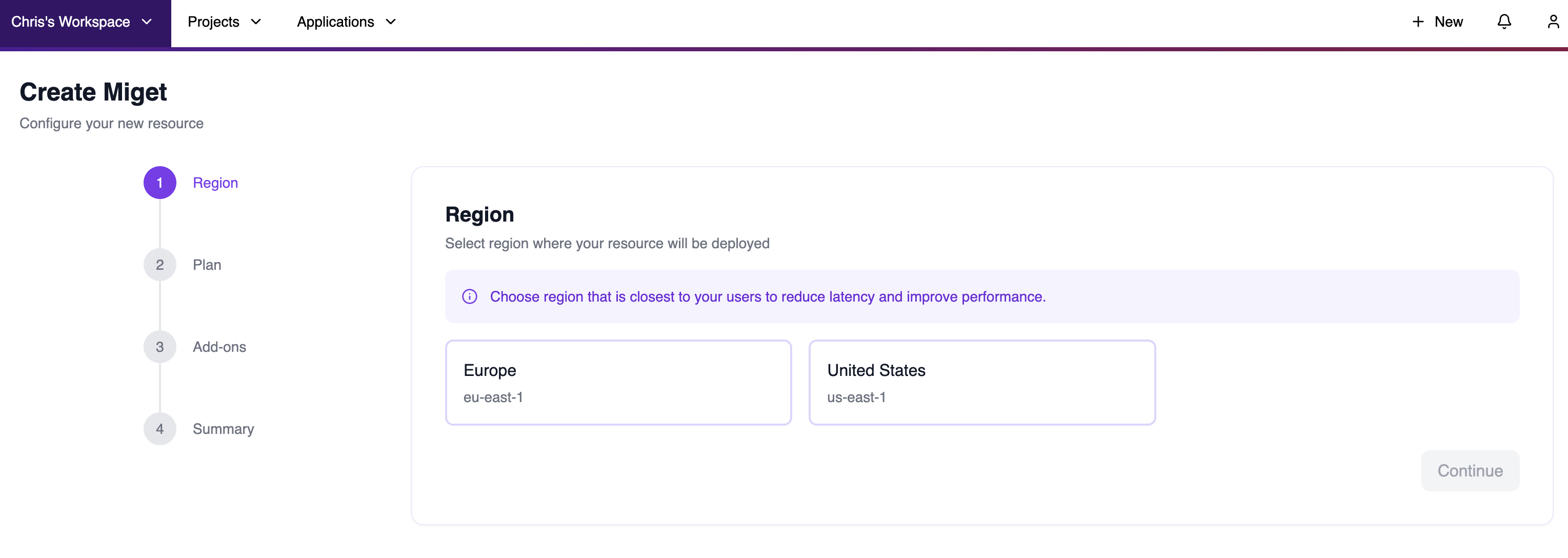
You select your region during the first step of Miget creation. Choose the region that is closest to your users to reduce latency and improve performance.
 ## Changing Regions
Miget doesn't currently support changing the region for an existing resource. To move to a different region:
1. Create a new Miget resource in the desired region.
2. Deploy your applications to the new resource.
3. Migrate your data and configuration as needed.
## Private Networking
Each region has its own isolated private network. Services in different regions cannot communicate directly over the private network.
To enable cross-region communication, you must route traffic over the public internet with appropriate security measures (TLS, authentication, etc.).