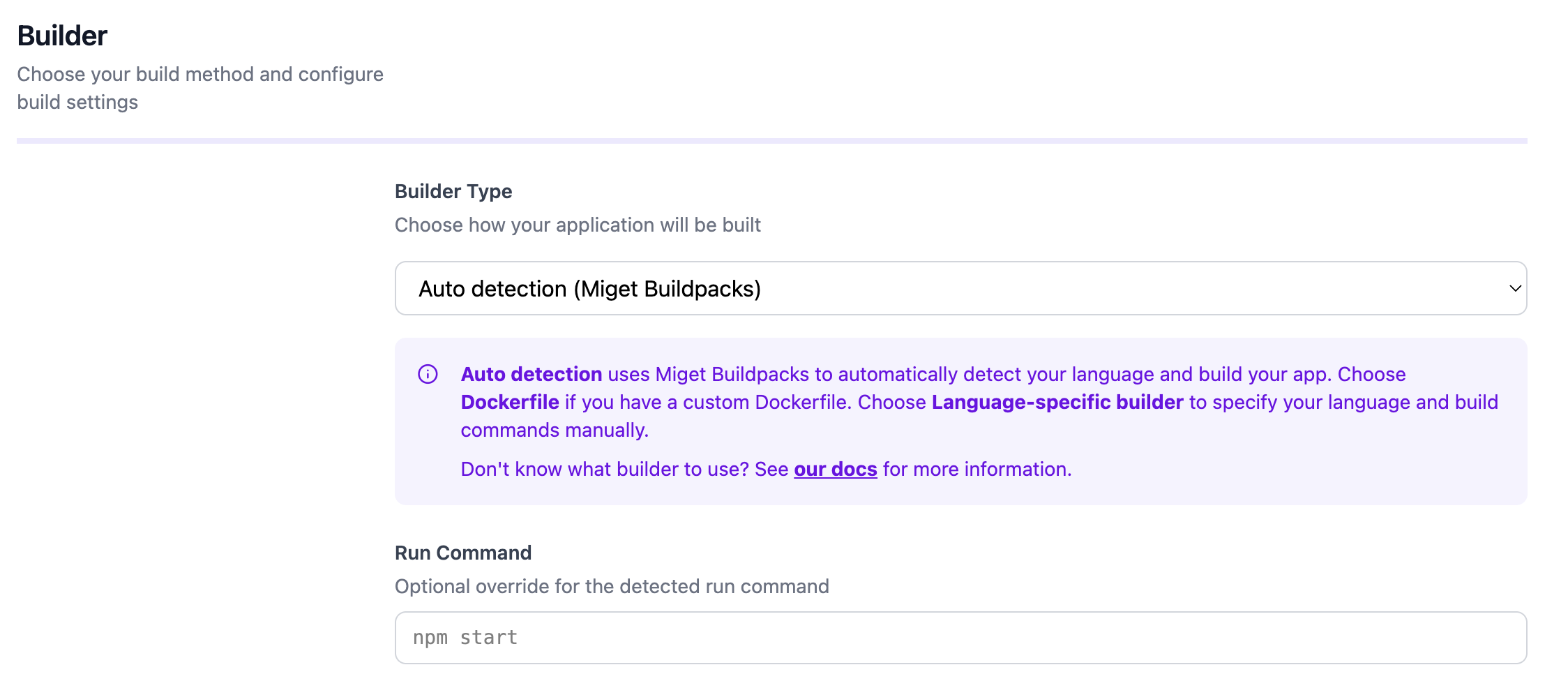
Overview

This documentation is adapted for Miget purposes and is based on information from the Paketo Ruby Buildpack documentation.
This documentation explains how to use the Paketo buildpacks with Miget to build Ruby applications for several common use-cases. For more in-depth description of the buildpacks’ behavior and configuration see the Paketo Ruby Buildpack. For more in-depth description of the buildpack’s behavior and configuration see the Paketo Ruby Buildpack Reference documentation. If your intention is to deploy an app using a Dockerfile, please refer to the Dockerfile page for guidance and best practices.

Prerequisites

The pack CLI is used throughout the examples. Examples assume that the Paketo Base builder is the default builder:
$ pack config default-builder paketobuildpacks/builder-jammy-base

Example App

A demo instance of this app is hosted at ruby.onmiget.com.

Build

$ git clone git@github.com:migetapp/ruby-hello-world.git
$ cd ruby-hello-world
$ pack build ruby-hello-world

Run

$ docker run -p 5000:5000 -e SECRET_KEY_BASE="some-secret" ruby-hello-world
The example app should now be running on localhost:5000.

Override the Detected Ruby Version

The Paketo Ruby Buildpack will attempt to automatically detect the correct version of Ruby to install based on the default version in the buildpack.toml file. It is possible to override this version by setting the BP_MRI_VERSION environment variable at build time, or via a Gemfile in the app source. The version can be set to any valid semver version or version constraint (e.g. 2.7.4, 2.7.*). For the versions available in the buildpack, see the buildpack’s releases page. Specifying a version of Ruby is not required. In the case that it is not specified, the buildpack will provide the default version, which can be seen in the buildpack.toml file. The buildpack prioritizes the versions specified in each possible configuration location with the following precedence, from highest to lowest: BP_MRI_VERSION, Gemfile.

Set the version via BP_MRI_VERSION

To configure the buildpack to use Ruby v2.7.1 when deploying your app, set the following environment variable at build time or through a project.toml file: Environment Variable set under Settings -> Variables: BP_MRI_VERSION="2.7.1"

With a project.toml

When building with Miget, create a project.toml file in your app directory that sets BP_MRI_VERSION at build time.
[ _ ]
schema-version = "0.2"

[[ io.buildpacks.build.env ]]
  name="BP_MRI_VERSION"
  value="2.7.1"

With a Gemfile

When a Gemfile is present, include a version declaration line.
source 'https://rubygems.org'

ruby '~> 2.7.1'

Override the Detected Bundler Version

The Paketo Ruby Buildpack will also attempt to automatically detect the correct version of Bundler to use based on the default version in the buildpack.toml file. It is possible to override this version by setting the BP_BUNDLER_VERSION environment variable at build time, or via a Gemfile.lock created during dependency vendoring. The version can be set to any valid semver version or version constraint (e.g. 2.2.29, 2.2.*). For the versions available in the buildpack, see the buildpack’s releases page. Specifying a version of Ruby is not required. In the case that it is not specified, the buildpack will provide the default version, which can be seen in the buildpack.toml file. The buildpack prioritizes the versions specified in each possible configuration location with the following precedence, from highest to lowest: BP_BUNDLER_VERSION, Gemfile.lock.

Set the version via BP_BUNDLER_VERSION

To configure the buildpack to use Bundler v2.1.4 when deploying your app, set the following environment variable at build time or through a project.toml file: Environment Variable set under Settings -> Variables: BP_BUNDLER_VERSION="2.1.4"

With a project.toml

When building with Miget, create a project.toml file in your app directory that sets BP_BUNDLER_VERSION at build time.
[ _ ]
schema-version = "0.2"

[[ io.buildpacks.build.env ]]
  name="BP_BUNDLER_VERSION"
  value="2.1.4"

With a Gemfile

When configuring your app, run bundle install on the source code to configure the buildpack to use the version of Bundler that you bundled with. This will result in a Gemfile.lock file that includes a Bundler version declaration line.
BUNDLED WITH
   2.1.4

Build an App With Vendored Gems

In order to build apps that contain vendored gems with the Paketo Ruby Buildpack, your app will need to have .gem files located in the cache_path.

With a Default Cache Location

Running the bundle package command on your app source code will copy the required gems into the cache location, typically vendor/cache. This will indicate to the buildpack to use gems in the cache over those on the RubyGems index. Check out the Ruby reference documentation for more information about how this works.

With a Non-Default Cache Location

To vendor gems in a non-default location, put all .gem files into the directory inside app source code, such as custom_dir/custom_cache. In order to tell the buildpack where to look for the gems, create a .bundle/config file and set the BUNDLE_CACHE_PATH.
---
BUNDLE_CACHE_PATH: "custom_dir/custom_cache"

Build an App Image That Runs a Rake Task

To configure the app image to run a rake task called non_default on launch, use a Procfile with the start command set as the web process.
web: bundle exec rake non_default

Build an App With a Webserver

The Paketo Ruby Buildpack has support for several common web servers and will configure the app image accordingly. Check out the Ruby reference documentation for more information about the supported web servers. To enable your app to run with a given webserver, include its gem in your app’s Gemfile. For example, to use Rackup, include in your Gemfile:
gem 'rack'

Build a Rails App

If you are building a Rails (version >= 5.0) app that needs asset compilation, you can build it with the Paketo Ruby Buildpack. To use this feature:
  1. Include an app/assets directory in your app source code
  2. Add the rails gem to your Gemfile

Enable DEBUG logging

Users of Python buildpack can access extra debug logs during the image build process by setting the BP_LOG_LEVEL environment variable to DEBUG at build time. Additional debug logs will appear in build logs if the relevant buildpacks have debug log lines. Environment Variable set under Settings -> Variables: BP_LOG_LEVEL=DEBUG